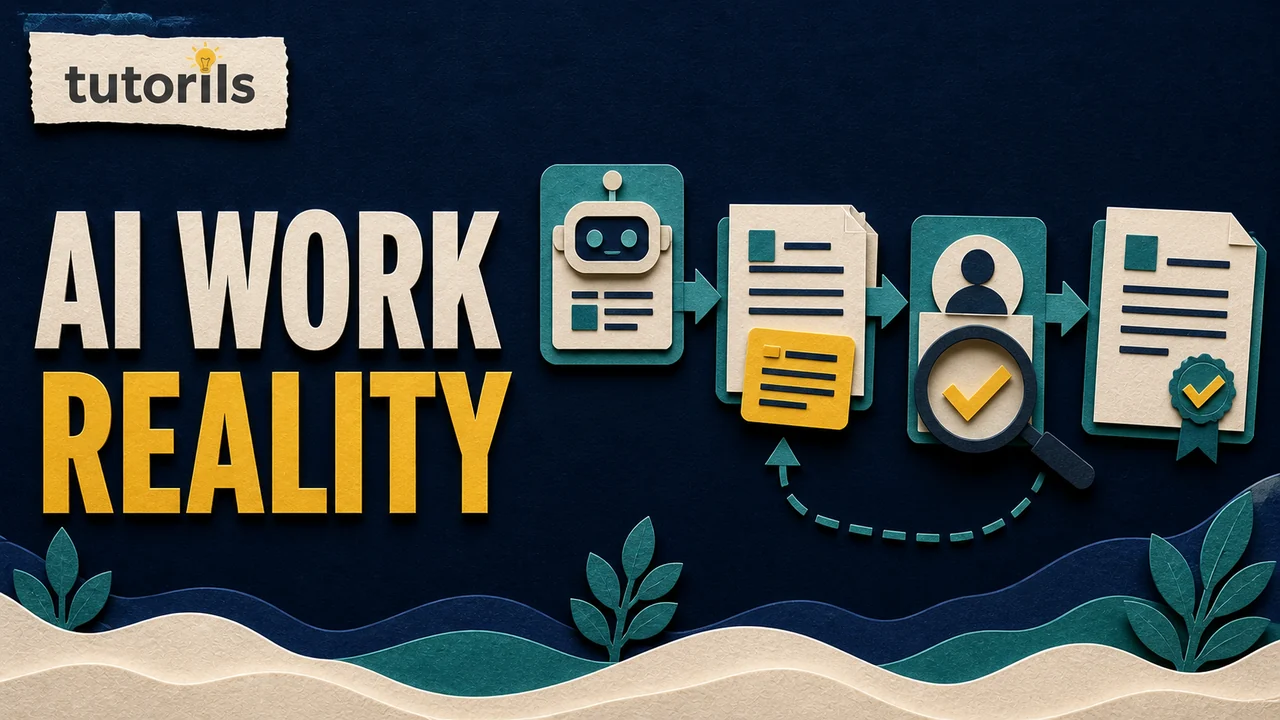
AI agents are useful when a task needs more than a single answer. They can inspect files, search sources, call connected tools, make changes, test a result, and continue through several steps. That extra ability can save time, but it also gives the tool more chances to make a wrong assumption or take an unwanted action. The best AI agent is therefore the one that fits a specific job and gives you enough control to review its work.
Best AI Agents to Use Right Now - Complete Guide
Compare current AI agents for research, office work, coding, app building, business knowledge, and no-code automation, with practical safety and testing steps.

This guide compares current agent products by practical use rather than by a single overall ranking. It covers research, office deliverables, coding, app building, business knowledge, and no-code automation. Features, plan access, and limits change often, so confirm availability on each provider's official page before paying or connecting an important account.
The short answer
For research that needs a plan and cited sources, Gemini Deep Research is a sensible starting point. ChatGPT Work suits longer tasks that combine research, files, connected apps, and finished documents. Claude Code and GitHub Copilot cloud agent are aimed at software work, but they operate differently: Claude Code works closely with a codebase and terminal, while GitHub's cloud agent can take an issue and prepare a pull request for review.
Replit Agent is easier to approach when a beginner wants to turn an app idea into a working project inside one hosted workspace. Microsoft Copilot Studio is built for organizations that need custom agents connected to company knowledge, tools, authentication, evaluation, and monitoring. AI by Zapier is a practical choice when the goal is to reason over information and take actions across apps inside a Zap.
None of these products should receive broad access simply because it is convenient. Start with a narrow task, use sample data, keep approval before external actions, and check the result against an independent source. The Tutorils AI automation safety checklist provides a separate pre-connection review.
Quick comparison of current AI agents
| Agent | Best fit | What it can help produce | Main control to check |
|---|---|---|---|
| ChatGPT Work | Long research and file-based deliverables | Reports, documents, spreadsheets, presentations, analyses, and scheduled work | Connected apps, file access, action approvals, and workspace settings |
| Gemini Deep Research | Source-led research | Research plans, cited reports, and exports to Google Docs | Selected sources, connected Gmail or Drive access, and report verification |
| Claude Code | Hands-on repository work | Code changes, tests, debugging, explanations, and command-driven tasks | Working directory, permission mode, command approval, and sandboxing |
| GitHub Copilot cloud agent | Issue-to-pull-request development | Planned code changes and pull requests for review | Repository policy, branch protection, workflow approval, and final code review |
| Replit Agent | Building and publishing an app in one workspace | Project plans, code, previews, fixes, checkpoints, and deployments | Checkpoints, secrets, database changes, tests, and deployment review |
| Microsoft Copilot Studio | Governed business agents | Knowledge agents, actions, flows, channel deployments, evaluations, and analytics | Authentication, data policies, connectors, environments, testing, and monitoring |
| AI by Zapier | No-code workflows across connected apps | Classification, drafting, tool calls, and multi-step app actions | Tool list, mapped fields, task usage, publishing approval, and run history |
Treat this table as a shortlist, not a promise that one product will work for every reader. A research agent can write code, and a coding agent can search documentation, but its strongest workflow, review surface, and permission model should match the job you actually need to complete.
What makes a tool an AI agent
A normal AI chat usually responds to a message. An agent can decide that it needs a tool, use that tool, inspect the result, and continue toward a goal. The tools may include web search, file access, code execution, a browser, a company knowledge source, or actions in another app. Some agents run while you watch. Others work in the background and return a file, report, or pull request.
This difference matters because a fluent answer and a completed action carry different risks. A weak answer can mislead you. A weak action can also edit a file, send a message, change a record, create a branch, consume paid usage, or expose data through a connected service. Before comparing brands, read the Tutorils guide to AI agents versus AI assistants. It explains why tool access, memory, and multi-step execution deserve separate attention.
The word autonomous is often used loosely. Most consumer and business agents still depend on your prompt, permissions, connected accounts, provider policies, and review decisions. Ask exactly what can happen without another confirmation. That answer is more useful than a marketing label.
ChatGPT Work for long tasks and finished files
OpenAI's current help material describes ChatGPT Work as an agent for longer tasks that can research, analyze information, work across connected apps and files, and create finished deliverables. The ChatGPT Work and Codex guide also says Work can run scheduled tasks and lets a user follow progress, answer questions, change direction, and approve important actions. Availability depends on plan, region, workspace settings, and the surface being used.
Work is a good fit when the result is more than a chat response. Examples include turning source files into a structured report, updating a spreadsheet while preserving formulas, or creating a document from a repeatable template. OpenAI's file creation guide for Work advises users to name what must stay unchanged, then preview and refine the output before relying on it. That is a useful rule for any file agent.
Choose Work when you want one workspace to hold the task, source files, instructions, questions, and deliverable. Do not connect an entire drive when one folder or file is sufficient. State the output format, sources that may be used, decisions that require approval, and items the agent must preserve. Open the finished file in its real destination and check formulas, citations, permissions, and layout.
Work may be a poor fit when the job needs a tightly controlled software development environment or a production business workflow with formal connector governance. Codex, a repository agent, or a governed automation platform may offer a clearer review boundary for those cases.
Gemini Deep Research for source-led research
Google's Gemini Deep Research instructions show a workflow in which Gemini creates a research plan, allows the user to edit that plan, searches selected sources, and produces a report. Google Search is included by default. Depending on account connections, the user can also select sources such as Gmail, Drive, uploaded files, and NotebookLM notebooks.
This makes Deep Research useful for questions that require collecting and organizing information from several sources. The editable plan is especially helpful. Before starting research, remove irrelevant branches, name the date range, prefer primary sources, and specify the claims that need direct citations. After the report is generated, open the cited pages instead of treating the citation list as proof by itself.
Connected personal sources change the privacy boundary. If Search is enough, do not add Gmail or Drive. If a private source is needed, select only the account and material relevant to the question. Google notes that past reports depend on activity settings, so check those settings before assuming a report will remain available.
Deep Research is not a substitute for professional judgment on legal, medical, financial, or safety decisions. It can assemble material, but the reader still has to check source authority, publication date, jurisdiction, missing context, and whether the final answer actually follows the evidence.
Claude Code for repository and terminal work
Claude Code is designed for software tasks in a real codebase. It can inspect files, propose edits, run commands, test changes, and continue through debugging steps. Anthropic's current Claude Code security guide says its standard architecture is read-only by default and requests permission for actions such as editing files or running commands. It also documents sandboxing, directory boundaries, network controls, and safeguards for untrusted content.
That makes Claude Code a good fit for developers who want an agent working closely with the local repository and command line. A useful task includes the intended behavior, files that must remain untouched, test command, acceptance criteria, and any security boundary. Start in plan or default permission mode for an unfamiliar repository. Review proposed commands before approving them, especially package installation, database migration, deployment, or deletion.
Do not use permission-bypass modes on a normal personal or work computer. Anthropic's permission documentation reserves that approach for isolated environments and explains that permissions and sandboxing are separate layers. Even with protections enabled, inspect the diff, run the full test suite, and review authentication, secrets, dependencies, and destructive paths yourself.
Claude Code is less suitable for someone who only needs a research summary or an occasional document. Its value comes from repository context, tools, testing, and iterative code work.
GitHub Copilot cloud agent for issue-to-pull-request work
GitHub's Copilot agents guide describes a cloud agent that can research a repository, plan and make code changes, and create a pull request for review. This workflow suits teams that already manage work through GitHub issues, branches, reviews, checks, and repository policies.
A well-scoped issue is the starting point. Include the current behavior, expected behavior, reproduction steps, relevant files, test requirements, and what must not change. The agent can work asynchronously, but the pull request is still a proposal. Read the changed files, review dependency changes, run required checks, and test the user-facing flow before merging.
GitHub also documents security scanning and controls for agent-created changes. Those checks reduce risk but do not prove that the implementation meets the product requirement. Branch protection, code ownership, required reviews, workflow approval, and deployment gates should remain active.
Choose this agent when the pull request is the natural unit of delivery. Choose a local coding agent when you need close interactive work with an uncommitted environment, local service, device, or file that is not available to the GitHub-hosted task.
Replit Agent for building an app in one workspace
Replit Agent is aimed at turning natural-language instructions into a project inside Replit. Its official Build with Agent guide recommends being specific, planning the work, adding context, reviewing and testing, and using checkpoints. Replit's documentation shows Agent planning changes, writing code, debugging, previewing the result, and guiding publication.
This integrated path can help a beginner build a small app without assembling a local toolchain first. It is also useful for prototypes where the editor, runtime, database, preview, secrets, and deployment controls live in the same product. Start with a narrow version: one user flow, a small data model, and a clear definition of done. Ask for a plan before allowing broad changes.
Use checkpoints before authentication, database, payment, or deployment work. Store keys in the platform's secrets feature rather than in source code or chat. A successful preview does not prove persistence, mobile behavior, access control, email delivery, or production configuration. Test those separately.
Replit Agent is not automatically the best choice for an established repository with a mature local environment and deployment pipeline. In that case, compare its import and deployment model with the controls already used by the project.
Microsoft Copilot Studio for governed business agents
Microsoft Copilot Studio is a platform for creating agents with instructions, knowledge sources, tools, authentication, channels, evaluations, and monitoring. The official Copilot Studio documentation covers knowledge sources, connectors, flows, data policies, testing, publishing, analytics, and autonomous agent health.
This makes it a stronger fit for an organization than for a person who wants a one-time answer. Typical uses include an internal policy assistant, an employee service agent, or a customer support workflow that draws from approved knowledge and hands work to a person when needed. The advantage is not simply the model. It is the surrounding control over environments, identities, connections, deployment channels, and monitoring.
Microsoft's agent evaluation guidance explains that test sets can check repeated scenarios and compare results after changes. It also warns that passing an evaluation does not replace responsible AI review or content safety controls. Build expected responses for important questions, test access as different user profiles, verify which tools were called, and keep an escalation route for cases the agent should not handle.
Copilot Studio can be more setup than a small personal task needs. Choose it when governance, company data, repeatable testing, and multi-user administration are part of the requirement.
AI by Zapier for no-code actions across apps
Zapier is moving standalone Agents into AI by Zapier inside the Zap editor. Its current AI by Zapier guide says that adding tools to an AI step creates an agentic workflow that can reason and act. This can suit tasks such as classifying an incoming request, looking up supporting data, drafting a response, and updating another app.
The surrounding Zap gives the agent a visible trigger, mapped inputs, tools, later actions, and run history. Keep deterministic steps for operations that must behave the same way every time. Use agentic reasoning only where the input varies enough to need judgment. Configure output fields so later steps receive structured data rather than an unpredictable block of text.
Test with sample records and then with a controlled live record. Review every connected account and restrict each action to the fields and objects needed. Add approval before sending messages, changing customer records, issuing refunds, or publishing content. Watch task usage and run history for loops, duplicate actions, and unexpected tool calls.
The Tutorils guide to building an AI agent workflow without coding covers the planning pattern in more detail.
How to choose the right agent
Start with the output and the action boundary. Write one sentence for the result, such as a cited market brief, a reviewed pull request, or a classified support ticket. Then list what the agent may read, what it may change, and what requires confirmation. If those lists are unclear, the task is not ready for an agent.
Score each candidate on six practical questions:
- Can it reach the files, sources, repository, or apps needed for the task?
- Can access be limited to the smallest useful scope?
- Does it show a plan, activity log, diff, citation trail, or other evidence you can review?
- Can you stop, correct, roll back, or reject the result?
- Can the same test be run again after a model or workflow change?
- Can you understand the cost unit and set a limit before a long run?
Do not choose by demo speed alone. A fast agent that hides its sources or actions can create more review work than a slower one. A narrow agent with a clear diff may be better than a general agent with many connections. If the task only needs an answer, use an assistant without action permissions.
For a broader product list, see the Tutorils comparison of AI agents for daily work. Use the present guide to decide the category first, then compare products within that category.
Run a small acceptance test before trusting an agent
Create three test cases before connecting live data. The first should be an ordinary task with a known correct outcome. The second should contain missing or ambiguous information and should make the agent ask or stop. The third should request an action outside the permitted scope and should be refused or held for approval.
Record the prompt, source material, expected outcome, actual output, actions taken, time, and cost unit. Check factual accuracy, completeness, formatting, citations, tool choice, and whether the agent respected its boundary. Repeat the same cases after changing the model, prompt, connector, or knowledge source.
For code, the acceptance test includes automated tests and a human diff review. For research, it includes opening citations and checking whether each supports the nearby claim. For business automation, it includes a sandbox record, approval step, and rollback. For files, it includes opening the real output and checking formulas, layout, accessibility, and permissions.
The Tutorils tutorial on using AI for email, research, and reports shows how to keep human review in routine knowledge work.
Protect data, accounts, and spending
Every connected tool expands the agent's reach. Connect the smallest account, folder, repository, mailbox, or database role that can complete the test. Avoid personal inboxes and production credentials when a sample workspace is enough. Remove unused connections after the pilot.
Never paste passwords, recovery codes, private keys, or full payment details into an agent prompt. Use the platform's secrets or connection system. Check retention, training, sharing, and deletion controls for the plan you are using. Consumer, team, and enterprise terms may differ.
Keep approval before irreversible or public actions. This includes sending a message, merging code, deploying, changing permissions, deleting records, spending money, or submitting an official form. Protect the receiving system too. A correct agent action can still be harmful if it targets the wrong customer, branch, account, or environment.
Set a budget in the unit the platform uses, such as messages, tokens, tasks, activities, credits, or compute time. Run history should show enough information to explain unexpected usage. Stop a workflow that repeats calls without making progress.
A practical first-week plan
On day one, pick one low-risk task that happens often enough to measure. Write the expected output and three acceptance tests. On day two, compare two agents using the same source material and restrictions. Do not connect live accounts yet.
On day three, choose one agent and connect only the minimum test data. Review its permissions and disable actions that are not needed. On day four, run the acceptance tests and record failures. Update the instructions, source set, or tool list rather than adding vague prompts.
On day five, let another person review the output without being coached. Their questions reveal missing context. On day six, run one controlled live task with approval before the final action. On day seven, decide whether to keep, narrow, or remove the workflow. Document the owner, review frequency, cost limit, and rollback path.
The best AI agent to use right now is not the product with the longest feature list. It is the product that fits the task, exposes enough evidence to review, limits access, and produces a result you can test. Choose a category first, start with a small case, and earn trust through repeated verification before increasing autonomy.
Reader answers
Frequently asked questions
Open a question to read the answer. Opening another answer closes the previous one.
What is the best AI agent to use right now?
The best choice depends on the job. Use a research agent for cited reports, a coding agent for repository changes, and a governed automation platform for connected business actions. Test one narrow task before expanding access.
Which AI agent is best for research?
Gemini Deep Research is a strong starting point for planned, source-led research. ChatGPT Work can suit research that must become a finished file. In either case, open citations and verify claims independently.
Which AI agent is best for coding?
Claude Code suits close repository and terminal work. GitHub Copilot cloud agent suits issue-to-pull-request tasks, while Replit Agent helps build and publish within Replit. Review every diff and run tests before merging or deploying.
Can beginners use AI agents without coding?
Yes. ChatGPT Work, Gemini Deep Research, Replit Agent, Microsoft Copilot Studio, and AI by Zapier provide natural-language workflows. Beginners should start with sample data, limited permissions, and a clear approval step.
Are AI agents safe to connect to email and cloud storage?
They can be used more safely when access is narrowly scoped. Connect only the required account or folder, review provider data controls, keep sensitive secrets out of prompts, and remove connections that are no longer needed.
How are AI agents different from AI assistants?
An assistant mainly responds, while an agent can select tools, take actions, inspect results, and continue through several steps. Product labels vary, so check the actual tools, permissions, logs, and approval behavior.
Should an AI agent be allowed to work automatically?
Begin with approval before external, public, destructive, or paid actions. Increase autonomy only after repeatable tests show that the agent respects scope, handles missing information, and can be stopped or rolled back.
How can I test an AI agent before using live data?
Use a normal case with a known answer, an ambiguous case that should trigger a question, and an out-of-scope request that should stop. Record the output, actions, citations, cost, and failures.
What should I check before paying for an AI agent?
Confirm current plan availability, usage limits, connected services, permission controls, logs, export options, data terms, and cancellation rules on official pages. Run a small trial with the task you actually need.
Can AI agents replace human review?
No. Agents can research and act, but they can misunderstand instructions, use weak sources, or change the wrong target. Keep human review for factual claims, code, permissions, public content, payments, and irreversible actions.