Driving traffic to a blog means helping the right readers discover a useful page, understand why it deserves attention, and continue to a sensible next step. It is not a contest to collect the largest possible number of visits. Traffic that comes from misleading titles, irrelevant promotion, or mass-produced pages rarely builds a durable publication.
Drive Traffic to Your Blog: 10 Proven Strategies for 2025
Use ten durable methods to help the right readers discover, trust, and navigate your blog through stronger content, structure, distribution, and measurement.
The ten methods below form a practical system. They cover discovery, content quality, site structure, distribution, and measurement. None guarantees rankings or a fixed number of visitors. Search engines, platforms, competition, and reader behavior change. The goal is to build assets and relationships that remain useful while those conditions change.
1. Make important pages easy to discover and index
Promotion cannot solve a page that search engines or readers cannot reach. Start with the technical basics. Important posts should return a successful response, use one preferred URL, appear in the site's navigation or relevant internal links, and be included in the sitemap when they are intended for search.
Check that published posts are not blocked by a noindex directive, authentication screen, or robots rule. Confirm that canonical tags point to the preferred live URL. Test the page on a phone and a slower connection. The main article, title, navigation, and links should remain usable without waiting for a heavy visual effect.
Google's SEO Starter Guide explains that Google primarily discovers pages through links from pages it already knows and that a sitemap can also help discovery. It also makes clear that following best practices does not guarantee inclusion or a first-place result.
Keep the XML sitemap current and submit it through the relevant webmaster tools. A sitemap is a discovery signal, not a demand for indexing. Include preferred, public URLs rather than redirects, duplicate parameters, private previews, or pages intentionally marked not to appear in search.
2. Choose a specific audience problem before choosing keywords
A keyword is useful only when it represents a question you can answer well. Define the reader, the situation, and the desired result. "Laptop tips" is broad. "How to reset a slow Windows laptop without deleting personal files" describes a task and the fear that may prevent the reader from acting.
Research the language people use in search results, community questions, support forums, your own site search, and Search Console. Separate different intents. Someone asking how a tool works needs an explanation. Someone comparing tools needs criteria. Someone facing an error needs a diagnosis path and a safe stopping point.
Use related phrases naturally because they clarify the subject, not because a tool suggested a density target. Google's search guidance says its systems can understand related wording. A complete answer can address setup, cost, compatibility, limitations, and troubleshooting without repeating one exact phrase in every heading.
The Tutorils guide to free keyword research methods for new bloggers shows how to combine search suggestions, Trends, Search Console, communities, and competitor review without inventing volume numbers. Record what each signal can and cannot prove.
3. Publish an answer that earns the visit
Before writing, inspect what current results already provide. Identify the dominant intent, strong explanations, missing steps, stale screenshots, unsupported claims, regional limitations, and questions left unanswered. Your contribution should be more than a longer summary of the same pages.
Create value through direct testing, a clearer workflow, original examples, a useful table, accurate primary sources, accessible instructions, or a decision method readers can reuse. State important limitations. If an app menu differs by version or region, tell the reader where the variation occurs rather than pretending one path fits everyone.
Google's people-first content guidance asks whether a page offers substantial information, demonstrates first-hand expertise, serves an intended audience, and leaves the reader feeling they learned enough to achieve their goal. It warns against producing pages on many topics merely to attract search visits.
Use a content brief to protect that purpose. Define the primary question, intended reader, evidence, unique contribution, section order, internal links, and update triggers before drafting. The Tutorils SEO content brief template provides a reusable structure for this work.
4. Build topic paths instead of isolated posts
A strong article should belong to a clear group of related reader tasks. Create a foundation page for the broad subject, then connect setup, how-to, troubleshooting, comparison, safety, and maintenance guides that serve distinct intents.
For example, a cloud backup cluster might include choosing a service, backing up Android photos, protecting laptop files, restoring one deleted file, checking storage limits, and testing recovery. Each page has a separate job, yet a reader can move between them without returning to search.
Map the cluster before publishing. If two proposed articles would give nearly the same answer, combine them. If one article covers three unrelated audiences, narrow it. This prevents cannibalization and creates a better browsing experience.
The Tutorils guide to building topical authority for a new blog explains how to organize a subject around connected audience needs. Treat the map as an editorial plan, not a promise that a particular number of pages will cause rankings.
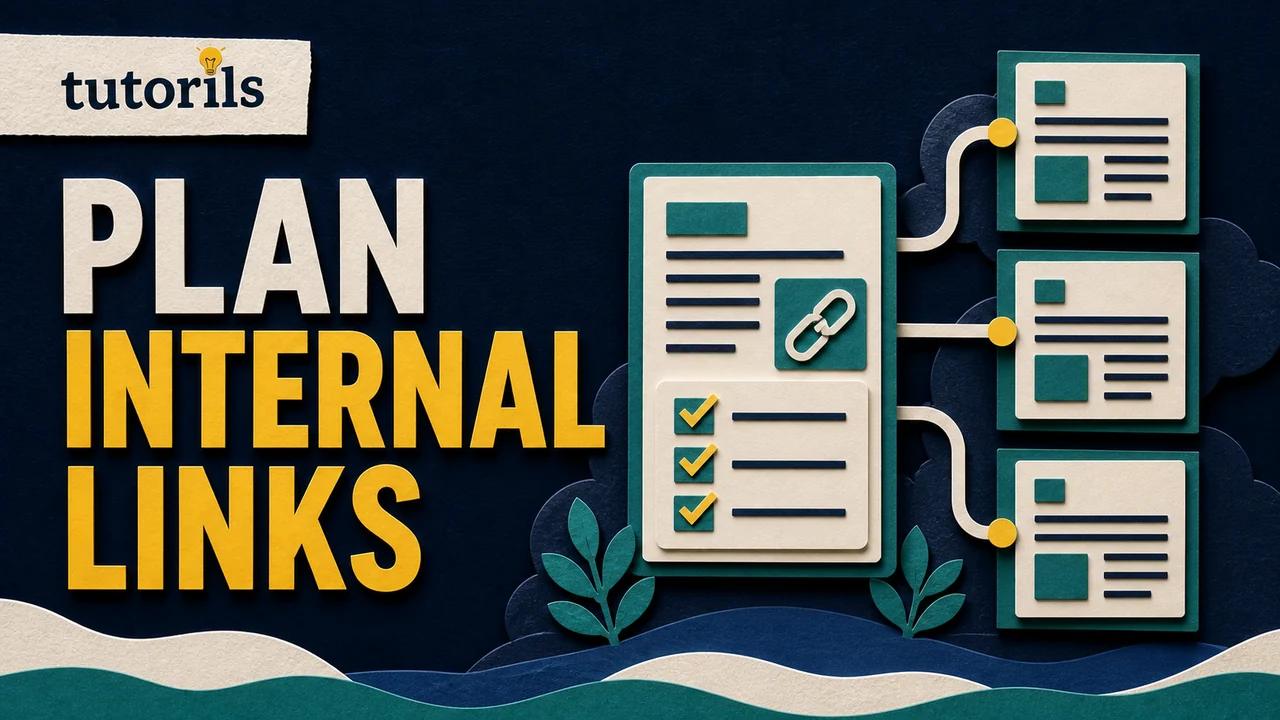
5. Use internal links as helpful directions
Internal links help readers discover the next relevant task and help crawlers understand how pages relate. Add them where the destination genuinely expands or completes the current point. A descriptive phrase such as "restore deleted Android photos" is more useful than several links labelled "click here."
Link new articles from older pages that already discuss the subject, and add links from the new article to the strongest foundation and next-step pages. Do not insert the same list into every post. Context matters more than raw link count.
Audit links periodically. Remove or repair destinations that return errors, redirect through several hops, became private, or no longer match the surrounding claim. The Tutorils internal-linking guide provides a practical process for mapping hubs, anchors, and orphan pages.
Keep navigation and category pages selective. A person should be able to understand the site's main subjects quickly, while important evergreen guides should not be buried behind dozens of pagination screens.
6. Improve titles, descriptions, and search presentation honestly
A useful page can be ignored if its title is vague or misleading. Write a unique title that names the task, audience, or decision. Put the distinguishing information early. Avoid false urgency, unsupported superlatives, and a year that is changed without a meaningful review.
Write a concise meta description that explains the benefit and scope in plain language. Search engines may show different text, but a clear description still helps them and your editorial team understand the intended promise.
Match the visible heading and introduction to that promise. If the result says "step-by-step setup," the page should not begin with a long history and hide the instructions near the end. Use descriptive headings, short paragraphs, lists where they improve scanning, and tables only when readers need to compare repeated fields.
Featured images should remain clear at small sizes, accurately represent the subject, and use meaningful alternative text. Do not add an unrelated image merely to lengthen the page. Page experience includes clarity and performance as well as appearance.
7. Refresh useful pages when the facts or reader needs change
Older articles can regain usefulness when they are genuinely reviewed. Start with pages that already receive impressions, links, comments, or reader questions. Check every instruction, product name, source, screenshot, external link, internal link, and eligibility condition.
Revise the article where the answer changed or where readers consistently become confused. Add an update note only when it helps explain a meaningful revision. Keep the original publication history intact. Changing a date without improving the content can mislead readers and does not make a weak page fresh.
The Tutorils guide to refreshing old blog posts describes a review process that preserves useful URLs while improving the actual answer. When two old posts serve the same intent, choose the better destination, merge valuable material carefully, and redirect the redundant URL.
Schedule future checks according to risk. A basic writing method may remain accurate for years. Tax procedures, prices, software interfaces, and security guidance may require much more frequent review.
8. Build an owned return path with email
Search and social platforms can introduce readers, but an email list gives interested people a direct way to return. Offer a clear reason to subscribe, such as a weekly set of tested tutorials, a focused checklist, or updates to a subject the reader already chose.
Use permission-based signup forms. Explain what will be sent and how often. Do not preselect consent, purchase lists, or hide the unsubscribe process. Follow the privacy and marketing laws that apply to your audience and service provider.
Send a useful message even when there is nothing to sell. Link to one or two relevant guides, summarize the value honestly, and make the email readable without a wall of promotional banners. Segment only when the information collected has a clear purpose.
Measure signups, opens, clicks, replies, unsubscribes, and complaints in context. A smaller list of readers who chose the subject can be more useful than a larger list gathered through an unrelated giveaway.
9. Distribute content through communities and partnerships responsibly
Find where the intended audience already asks questions. This might be a specialist forum, a Reddit community, a professional group, a local association, a newsletter, or a creator's audience. Read the rules and participate before posting a link.
Answer the question directly in the community. Link to your guide only when it adds substantial detail and the rules permit it. Repeated self-promotion without contribution can damage trust and lead to removal.
Build partnerships around complementary expertise. Invite a practitioner to review a technical section, contribute a tested example, or explain a regional difference. Offer original data, a tool, or a concise resource another publisher would genuinely want to cite. Avoid paid link schemes and bulk outreach that pretends to be personal.
Repurpose carefully. A carousel, short video, and email can all introduce the same guide, but each should provide value in its native format. Do not paste the article title and URL into every channel and call it distribution.
10. Measure traffic as a path, then improve one weak point
Use analytics to understand discovery, engagement, and useful outcomes. In Google Search Console, review clicks, impressions, click-through rate, queries, pages, countries, devices, and changes over time. Google's official Search performance guidance explains these core metrics and their context.
Do not treat average position as a business result or assume every impression was an opportunity to click. Search Console data has privacy and reporting limitations. Compare consistent periods, note seasonal events and major site changes, and investigate several signals together.
Create a simple monthly review:
- Identify pages gaining or losing meaningful impressions and clicks.
- Check whether the queries match the page's intended audience and answer.
- Inspect the live result and page on mobile.
- Review engagement and next-step behavior in your site analytics.
- Choose one improvement based on evidence.
- Record the change and wait long enough to evaluate it.
If impressions rise but clicks remain low, review the title, description, intent match, and competing result features. If clicks arrive but readers leave before the useful section, improve the introduction, navigation, speed, or answer. If readers complete the guide but have nowhere relevant to go, add a next-step link or a focused subscription option.
Google's current guidance for generative AI features in Search reinforces foundational SEO: crawlable pages, good page experience, unique people-first content, clear structure, and Search Console monitoring. It specifically cautions against treating AEO or GEO labels as a reason to chase special hacks.
Put the methods into a ninety-day cycle
In the first month, repair discovery and measurement. Verify indexing signals, sitemap coverage, analytics, category paths, broken links, and the purpose of each important page. Research audience problems and build one focused topic cluster.
In the second month, publish or substantially improve the cluster's highest-value pages. Add contextual internal links, strengthen titles and introductions, and create a relevant email or community distribution plan. Quality and accuracy take priority over filling every calendar day.
In the third month, review Search Console, site analytics, reader questions, and referral sources. Refresh weak pages when the evidence points to a correctable problem. Expand the cluster only when the next article serves a distinct need.
Traffic grows from a connected system: discoverable pages, useful answers, clear paths, honest presentation, responsible distribution, and disciplined measurement. Work on the weakest part of that system first. A smaller number of trusted, connected guides can create more durable value than hundreds of isolated pages written only to target phrases.
Reader answers
Frequently asked questions
Open a question to read the answer. Opening another answer closes the previous one.
How can a new blog get traffic?
Start with crawlable public pages, solve specific audience problems, connect related guides with useful internal links, distribute them in relevant communities, build a permission-based email list, and measure what readers actually use.
How long does SEO take to bring blog traffic?
There is no fixed timeline. Discovery and performance depend on the site, competition, topic, content, links, and technical health. Google notes that some changes appear quickly while others may take months.
Does publishing every day increase blog traffic?
Not automatically. A sustainable schedule of accurate, distinct, useful articles is safer than daily pages created to fill dates. Publish when the page serves a real audience need and passes review.
What is the best free way to promote a blog?
Use channels where the intended audience already participates, answer questions directly, follow community rules, and link only when the article adds substantial value. Email and careful repurposing can also support repeat visits.
Do internal links help readers find blog posts?
Yes. Contextual internal links can guide readers to a foundation, next step, comparison, or troubleshooting page. They also help crawlers understand relationships, provided the destinations are public, relevant, and working.
Should I update old blog posts for more traffic?
Update a post when facts, steps, links, reader needs, or the competitive answer changed. Preserve its useful URL and history. Do not change the date merely to make the page appear fresh.
Which blog traffic metrics should I track?
Track metrics that support decisions, including search impressions, clicks, click-through rate, relevant queries, landing pages, referrals, engaged reading, next-page movement, subscriptions, and qualified conversions. Interpret them together and over comparable periods.
Can social media traffic improve a blog?
Social platforms can introduce readers, test explanations, and support return visits. Adapt the content to each platform and judge quality by relevant engagement and on-site behavior, not raw reach alone.
Does a sitemap guarantee Google will index my posts?
No. A sitemap helps search engines discover preferred public URLs, but it does not guarantee crawling, indexing, or rankings. Pages still need to be accessible, useful, canonical, and supported by a coherent site structure.
Should I target multiple keywords in one blog post?
Cover natural related queries when they belong to the same reader intent. Do not repeat phrases mechanically or combine different tasks only to target more terms. One complete answer can use varied, reader-friendly language.