ChatGPT can help with more than a single question or a quick draft. When you give it a clear outcome, the right source material, and sensible permission limits, it can research, organize, compare, draft, and verify a multi-step piece of work. The result still needs your review, especially when the task involves private information, external messages, purchases, account changes, or business decisions.
How to Use ChatGPT Agent: The Complete Guide to Automating Your Work with AI
Learn how to automate work with ChatGPT using clear task briefs, controlled permissions, source checks, supervised tests, and safe scheduled workflows.
This article keeps its original ChatGPT Agent title and URL. In the current official interface, OpenAI presents the everyday agentic work experience as ChatGPT Work. The exact controls available to you can vary by app, account, workspace policy, and enabled tools. Use the names shown in your own interface and check the linked official documentation when a menu or capability differs.
The short answer
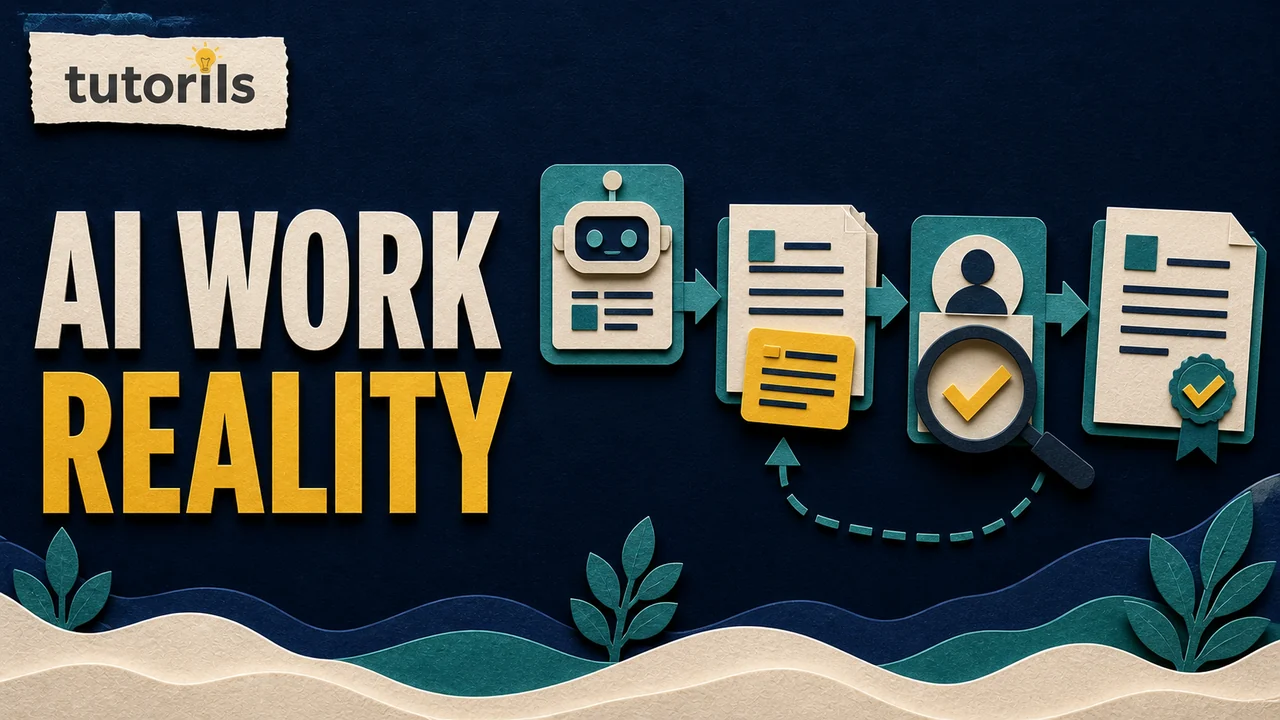
To automate work safely with ChatGPT, start with one repeatable, low-risk task that produces a result you can check. Describe the outcome, supply the source files or connected data, define what the system may and may not change, and specify what proof should be returned. Run the workflow once under supervision before considering a schedule.
A good first workflow might turn meeting notes into a list of follow-ups, sort a set of research links into a comparison table, or prepare email reply drafts without sending them. A poor first workflow is an open-ended request to manage your accounts, contact people, delete records, or make financial decisions without review.
OpenAI's guide to getting started with ChatGPT Work recommends tasks with a clear outcome, a few source materials, and an output that you can review. That is the practical foundation for useful automation. The tool needs enough context to do the job, but the job should still have boundaries.
What ChatGPT Work can do
ChatGPT Work is intended for tasks that end in a usable deliverable rather than a short conversational answer. Depending on the tools and permissions available, it can work with files, approved plugins, connected services, a browser, or local apps. It can create documents, spreadsheets, presentations, reports, and repeatable workflows for you to review.
The word "agent" can make the feature sound fully independent. A better mental model is a capable work assistant operating inside the access you provide. It can follow steps, use tools, and continue through a longer task, but it does not understand your unstated policies or risk tolerance. You must provide those boundaries.
If you are new to the difference between a conversational assistant and an agentic workflow, read AI agents vs AI assistants. That distinction helps you decide when a normal chat is enough and when a multi-step task is worth setting up.
Choose the right first task
The easiest work to automate has five qualities:
- It happens often enough to justify a reusable process.
- The input is available in files, messages, or a connected service.
- The desired output has a recognizable format.
- A person can verify the result without repeating the entire job.
- A mistake would be inconvenient rather than irreversible.
Examples include turning a folder of notes into a weekly summary, grouping customer feedback by theme, extracting action items from meeting documents, preparing a research brief, or drafting replies for review. The official ChatGPT use-case library includes workflows for inbox triage, meeting follow-ups, reports, dashboards, and project updates. Availability still depends on the tools connected to your account.
Do not begin with payroll changes, legal filings, medical decisions, bank transfers, credential resets, mass deletion, or messages sent in your name. Those actions have higher consequences and often need an established approval process. Learn the workflow on a reversible task first.
For a broader risk check, use the Tutorils AI automation safety checklist before connecting important data or granting write access.
Define the outcome before writing the prompt
A vague instruction such as "organize my work" leaves too much room for interpretation. Replace it with a result that can be inspected. For example:
Review the five attached meeting notes. Create a table with each decision, owner, due date, and unresolved question. Do not contact anyone or edit the source files. Flag any item whose owner or date is not stated.
This prompt tells ChatGPT what to read, what to create, which fields matter, which actions are prohibited, and how to handle missing information. The final table can be checked against the original notes.
For longer work, OpenAI's long-running work guidance recommends stating the outcome, constraints, and verification criteria. Those three parts answer the questions that cause many automated tasks to drift: What should exist at the end? What boundaries apply? How will success be proven?
Write the definition of done in plain language. "Create a usable report" is subjective. "Create a six-section report that cites every source, lists unresolved gaps, and includes a one-page summary" is easier to verify.
Prepare clean source material
Automation quality depends heavily on the input. Gather the files, links, examples, policies, and reference documents needed for the task. Remove old drafts that could be mistaken for current information. Give files descriptive names and explain which source takes priority if two documents disagree.
Do not upload a large collection of unrelated files and expect ChatGPT to know what matters. A short source note can prevent errors:
- Use the signed policy document for rules.
- Use the current spreadsheet for amounts and owners.
- Treat the archived report as background only.
- Flag any conflict instead of resolving it by guessing.
Remove information that the task does not need. If a workflow only requires order numbers and dates, do not include customer passwords, payment details, identity documents, or private notes. Reducing the data supplied also reduces the impact of an accidental disclosure or an incorrect action.
When you need a reusable research process rather than a single report, the Tutorils guide to building a no-code AI workflow for research and writing explains how to separate collection, drafting, and review.
Choose local or cloud work deliberately
In the desktop app, ChatGPT Work may offer local and cloud options. OpenAI explains that local work is appropriate when the task needs files or apps on your computer. Cloud work can continue when the computer is closed and is useful for web-based or scheduled work that does not depend on local-only material.
Do not choose cloud merely because the task is long. First ask where the required information lives. A workflow that depends on a local folder needs the desktop app, an available project, and the required permission. A web task can use uploaded context and connected tools, but it cannot assume that a folder on your computer is available.
Keep one source of truth. If you copy a spreadsheet to an upload, edit a local copy, and connect a cloud version at the same time, the task may use the wrong revision. Name the authoritative source in the prompt and state whether the output may update it or must be returned as a separate file.
Set permissions to match the task
Permissions decide what ChatGPT can do by itself and when it pauses for review. OpenAI's permissions documentation says the default workspace boundary and approval policy work together. The most permissive mode can edit files and run networked commands without asking, which increases the risk of data loss, leaks, or unexpected behavior.
For a first workflow, use the least access that allows the task to succeed. Read-only access is enough for summarizing or classifying information. Draft permission is enough when you want reply suggestions but do not want messages sent. File creation may be needed for a report, while editing the original source may not be necessary.
Write action limits inside the task as well. Interface permission settings are one layer; task instructions are another. Useful limits include:
- Do not send, publish, purchase, delete, or submit anything.
- Do not change the source files.
- Ask before contacting an external service.
- Stop when required information is missing.
- Return a preview and a change list before applying edits.
Never paste a password, one-time code, recovery key, private API key, or payment credential into a prompt. If a legitimate workflow needs authentication, use the service's approved connection method and review the permission request.
Build a prompt that works like a task brief
A reliable task brief does not need to be long, but it should remove important ambiguity. Use this structure:
Goal: State the finished result.
Sources: List the files, links, or connected services the task may use.
Scope: Say which records, dates, projects, or folders are included.
Rules: Name policies, tone requirements, and forbidden actions.
Output: Specify the file type, sections, columns, or response format.
Verification: Explain what must be checked before the task is complete.
Here is a practical example:
Goal: Prepare a Friday project update from the attached status notes. Sources: use only the current week's notes and the approved milestone list. Scope: Project Cedar only. Rules: do not change files or contact team members. Output: a 300-word update with completed work, blockers, next actions, and owner names. Verification: link each claim to its source note and list any missing owner or date.
This prompt gives the system a bounded job. It also gives you a quick way to reject an answer that adds unsupported progress, invents an owner, or misses a blocker.
Run one supervised test
Before trusting a recurring workflow, use a small sample that you already understand. If the goal is to summarize 200 support tickets, start with 10. If the goal is to draft a weekly report, use one completed week and compare the output with the report you produced manually.
Check more than writing quality. Confirm that the workflow used the correct sources, respected date ranges, handled missing fields, and did not take an action outside the brief. Look for quiet errors such as merging two people with similar names, treating an old document as current, or turning a suggestion into a confirmed decision.
The official verified operations workflow recommends normalizing inputs, using a dry run when supported, staying within the approved scope, recording success or failure for each item, and returning verification artifacts. This approach is useful even for nontechnical office work. Proof can be a result table, source-linked report, change list, or screenshot.
Use ChatGPT for email without giving up control
Inbox work is a practical automation example because much of the task is classification and drafting. ChatGPT can help identify messages that need attention, group recurring mail, and prepare reply drafts. Start with drafting only. Review recipients, quoted text, attachments, commitments, dates, and tone before sending.
OpenAI's inbox workflow distinguishes between reviewing mail, creating drafts, and moving or deleting messages when explicitly requested. Those are separate levels of authority. Do not combine them in your first run.
A useful setup is:
- Review mail from a defined period.
- Return categories and links without changing the inbox.
- Draft replies only for messages you select.
- Review every draft and attachment.
- Add labels or archive messages only after the classification is reliable.
The Tutorils guide to creating a daily email processing routine can help you decide which messages belong in an automated review and which need immediate human attention.
Automate research and reports with source checks
Research automation works best when the question, source standard, date range, and output format are stated in advance. Ask ChatGPT to separate facts from recommendations and list unresolved gaps. Require links to the sources actually used. For a fast-changing topic, add a cutoff date and ask it to note publication dates.
Do not ask for "the best answer on the internet" without defining what counts as reliable. Name primary sources, official documentation, standards bodies, public filings, or first-party data when those sources exist. A summary that cannot be traced back to evidence is difficult to audit.
For a repeatable process that combines messages, source gathering, and a final document, see how to use AI to automate email, research and reports. Keep the collection stage separate from any external action based on the result.
Schedule only a proven workflow
ChatGPT supports scheduled tasks when the feature is enabled for the workspace. According to OpenAI's scheduled tasks guide, scheduled work can run in the background, and its active, paused, completed, and recent runs can be reviewed. Web tasks may use uploaded context and connected tools, while local project tasks require the computer and desktop app to remain available.
Do not schedule a prompt that has never worked successfully in a normal chat. Run it manually, review several outputs, and revise the instructions before choosing a cadence. A schedule repeats both strengths and mistakes.
A safe scheduled task should specify:
- the exact source and time window to inspect
- the output location or delivery method
- what changes are forbidden
- what to do when data is unavailable
- how to flag unusual results
- when to pause for a human decision
For example, schedule a weekday briefing that reads approved sources and produces a private summary. Do not let the first version automatically email customers, change records, or publish a report. Add further actions only after the summary remains accurate and the approval path is clear.
Verify the result before using it
A polished document can still contain a wrong date, unsupported claim, missed exception, or invented connection. Build checks into the workflow instead of treating review as a final glance.
For summaries, compare a sample of claims with the source. For tables, check row counts, totals, dates, and duplicates. For drafts, confirm names, recipients, attachments, and commitments. For file changes, ask for a list of modified files and inspect the difference. For web research, open the cited pages and verify that they support the statement.
Ask ChatGPT to distinguish completed actions from proposed actions. "I prepared a draft" is not the same as "I sent the message." Require the final report to list what succeeded, what failed, what was skipped, and what needs your decision.
Protect the workflow from misleading instructions
Connected files, webpages, and messages can contain instructions that were not written for your workflow. A malicious page may tell an automated system to reveal data, ignore the task, or take an unrelated action. Treat external content as source material, not as authority over your instructions.
Tell ChatGPT to ignore instructions found inside source documents or websites unless you explicitly identify them as approved policy. Limit the connected sources, avoid granting write access when read access is enough, and require approval before any external action. If the workflow suddenly asks for a secret, a new permission, or an unrelated account login, stop and inspect the request.
Improve the workflow without making it fragile
After several supervised runs, review the errors rather than adding more instructions at random. If dates are frequently missing, add a rule to flag missing dates. If the wrong files are used, narrow the source folder. If the output is inconsistent, provide a short template. If the task repeats work, define what has already been processed.
Keep the prompt focused. A single workflow that reviews email, updates a project tracker, creates invoices, publishes social posts, and produces a report has too many failure paths. Split it into separate tasks with clear handoffs. One task can classify incoming information, another can prepare a draft, and a final human-approved step can make the external change.
Record a working version of the prompt and the source requirements. When a service interface, plugin, policy, or output format changes, test the workflow again before restoring a schedule.
A practical launch checklist
Before using ChatGPT to automate a work task, confirm that:
- The task ends in a specific, reviewable result.
- The source files and connected services are current and clearly identified.
- The workflow uses the least permission it needs.
- Private data that does not support the task has been removed.
- Forbidden actions and approval points are written in the brief.
- Missing information is flagged instead of guessed.
- The first run uses a small, low-risk sample.
- The result includes evidence you can compare with the source.
- External messages, payments, deletions, and submissions still require review.
- A scheduled version has already passed several supervised runs.
ChatGPT Work can remove repetitive preparation from a workday, but useful automation starts with disciplined task design. Pick one bounded process, give it reliable sources, keep permissions narrow, and require proof. Once that version works consistently, you can reuse it, schedule it where appropriate, or connect it to a larger process without surrendering oversight.
Reader answers
Frequently asked questions
Open a question to read the answer. Opening another answer closes the previous one.
What is ChatGPT Agent called now?
OpenAI's current documentation presents the everyday agentic work experience as ChatGPT Work. The name and available controls can vary by app, account, and workspace policy.
Can ChatGPT automate repetitive work tasks?
Yes. It can help with repeatable research, summaries, classification, drafting, and report preparation when given clear sources and boundaries. Review the result before allowing external messages, file changes, or account actions.
What is the safest first ChatGPT automation?
Choose a low-risk task with a result you can check, such as summarizing approved notes or drafting replies without sending them. Avoid payments, deletion, legal submissions, and account changes during early tests.
How should I prompt ChatGPT for a work workflow?
State the goal, allowed sources, scope, rules, output format, forbidden actions, and verification method. Tell it to flag missing information instead of guessing and to pause before irreversible or external actions.
Can ChatGPT Work use my local files?
The desktop app can use local files when the relevant local mode and permissions are available. Cloud and web tasks use accessible uploads or connected tools and should not be assumed to access a folder on your computer.
Can I schedule a ChatGPT workflow?
Scheduled tasks are available when enabled for your workspace. Test the prompt manually first, review the first runs, and state the source window, output, limits, and failure behavior before relying on a schedule.
Should ChatGPT send emails automatically?
Start with inbox review and reply drafts. Check the recipient, quoted text, attachments, dates, commitments, and tone yourself. Add sending authority only if the workflow has a clear approval process and has been tested.
How do I verify a ChatGPT automated result?
Compare claims with source files, check totals and dates, review proposed changes, and require a final log of successes, failures, skipped items, and decisions that still need a person.
What permissions should I give ChatGPT Work?
Use the least access needed. Read-only access may be enough for research and summaries, while draft or file-creation access may suit reports. Avoid full access unless you understand and accept the additional risks.
Can ChatGPT automation make mistakes?
Yes. It can use the wrong source, miss an exception, invent a connection, or misunderstand an instruction. Small supervised tests, narrow permissions, source citations, and human approval reduce the impact of those errors.