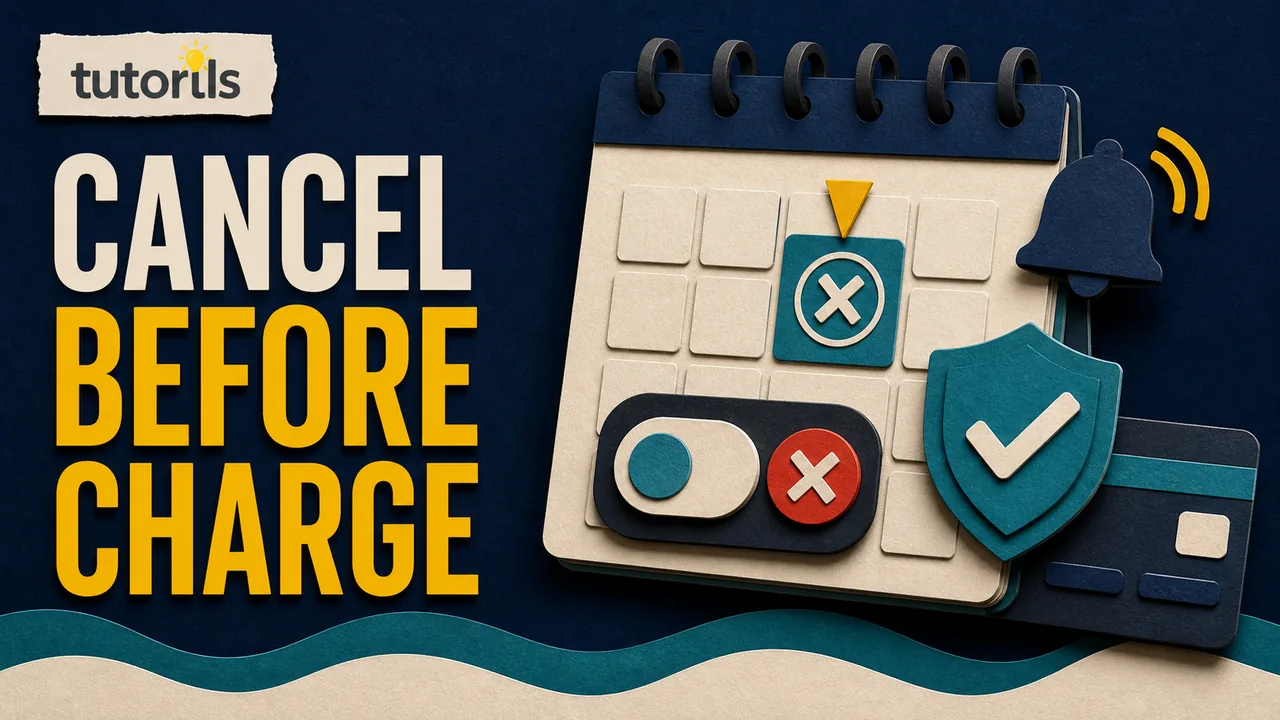
A free trial is usually an agreement that changes into a paid subscription unless you cancel before the stated deadline. Deleting the app, ignoring it, removing its shortcut, or stopping use rarely ends that billing agreement.
How to Cancel a Free Trial Before You Are Charged
Find who bills the trial, cancel through the correct provider, save proof, verify the final status, and respond properly if an unwanted charge appears.
The safest cancellation starts with finding who actually bills you. A service used on an iPhone may be billed by Apple, Google Play, a mobile carrier, PayPal, or the company itself. The correct cancellation screen belongs to the billing provider, not necessarily the device or app where you use the service.
Cancel as soon as you decide that you do not want the paid plan. Do not wait for the final hour. Time zones, processing rules, account confusion, and an early authorization hold can make a last-minute attempt difficult to prove.
This guide covers a practical process for trials billed through Apple, Google Play, a direct merchant, PayPal, or another provider. Menus and terms change, so confirm the renewal date, cancellation rule, and final status shown in your own account.
Find the exact renewal deadline and price
Open the sign-up confirmation, receipt, or account billing page. Record:
- the date and time the trial started
- the stated end date
- the price after the trial
- the billing interval, such as weekly, monthly, or annual
- whether the plan becomes a longer contract
- the payment method or billing provider
- the published cancellation method
Do not assume a seven-day trial ends at midnight in your time zone. Use the date and time displayed by the billing provider. If only a date is shown, treat the previous day as your working deadline.
The U.S. Federal Trade Commission's free-trial and subscription guidance advises consumers to understand the trial length, how and when to cancel, and what billing follows. It also recommends putting the deadline on a calendar and monitoring payment statements.
Read the plan name carefully. A low monthly-looking price may belong to an annual commitment paid in monthly installments. Canceling that contract can differ from stopping a flexible monthly subscription. Keep a copy of the terms that were visible when you enrolled.
Identify who is charging you
Search email for the service name plus words such as "receipt," "subscription," "trial," "invoice," or "renewal." Check spam and trash. The sender and receipt usually identify the billing account.
Then review the payment method you used. A bank or card statement may display Apple, Google, PayPal, a carrier, or a merchant name. A pending authorization is not always the final subscription charge, but it can help identify the provider.
Use this order:
- Open the original receipt or trial confirmation.
- Check the subscriptions area in the likely app store account.
- Check the service's own website billing page.
- Review PayPal automatic payments if PayPal was used.
- Check the mobile carrier, broadband provider, employer, or bundle that supplied access.
- Contact the merchant through its official website if the owner remains unclear.
Do not follow a cancellation link from an unexpected renewal text or email. A fake notice can be designed to steal sign-in or card details. Type the known service address yourself or use the official app. The Tutorils guide to protecting yourself from online payment scams explains how to verify payment messages without relying on the link they contain.
Create a cancellation record before you begin
Make a small folder or note for evidence. Save the trial offer, terms, receipt, renewal date, account email, and current subscription status. If the process uses chat or phone support, record the date, time, representative name, and case number.
Screenshots are useful when they include context. Capture the service name, plan, status, renewal date, and confirmation message. Do not expose full card numbers, passwords, recovery codes, or unrelated account details.
Write the request plainly:
Please cancel the free trial and stop automatic renewal. Please confirm the effective date and whether any further payment is due.
Avoid a long complaint in the first request. A clear instruction is easier to document. You can explain a billing problem separately if a charge has already occurred.
Cancel an Apple-billed free trial
Apple's current subscription cancellation instructions say to cancel a free or discounted trial at least 24 hours before it ends if you do not want it to renew.
On an iPhone or iPad:
- Open Settings.
- Tap your name.
- Tap Subscriptions.
- Select the trial.
- Tap Cancel Subscription and follow the confirmation steps.
You may need to scroll to find the cancellation button. Apple says that if there is no Cancel button or the screen shows an expiration message in red, the subscription is already canceled.
On a Mac, open the App Store, select your name, open Account Settings, find Subscriptions, and choose Manage. Select the trial and cancel it. Apple also offers web cancellation for supported subscriptions.
If the subscription is missing, search email for "receipt from Apple" or "invoice from Apple" and check which Apple Account appears. A family member or a second Apple Account may own the subscription. If the receipt came from another company, cancel with that company rather than Apple.
Access after cancellation depends on the subscription and local rules. Read the final screen. Some trials may end immediately, while other subscriptions continue until the shown expiration date. Do not infer the result from whether the app still opens.
Cancel a Google Play free trial
Google's current subscription management guide states that uninstalling an app does not cancel its subscription.
On an Android device:
- Open Google Play.
- Tap the profile picture.
- Open Payments and subscriptions.
- Tap Subscriptions.
- Choose the trial.
- Tap Cancel subscription and follow the instructions.
You can also sign in to Google Play subscriptions on the web, select the subscription, choose Manage, and cancel it.
Confirm that you are using the Google Account that enrolled in the trial. People often have personal, work, school, or older accounts on the same device. If the subscription is absent, switch accounts and inspect each subscriptions page. Search receipts for the account used at purchase.
Google says canceled subscriptions generally remain available until the current period ends and will not be charged on the next renewal date, subject to the plan's terms. A payment plan can still have remaining required installments. Read the status and terms for the exact product.
Do not choose Pause when you intend to end billing. Some Google Play subscriptions support pausing after a billing period, and the subscription can resume later. Google says free trials cannot be paused through its developer-supported pause feature. Use Cancel and verify the resulting expiration or cancellation status.
Cancel a trial billed directly by the company
Sign in by typing the company's official web address. Look under Account, Billing, Plan, Membership, Subscription, or Manage plan. Use the published cancellation flow and continue until the service shows a final status.
Watch for screens that offer a discount, pause, downgrade, or reminder. Those choices may preserve automatic renewal. Read the button label before selecting it. Continue until the account says canceled, will not renew, or ends on a specific date.
If the company requires chat, email, phone, or a form, submit the request early. Save the sent message and automatic acknowledgment. Ask for written confirmation. A support agent saying "it is handled" is weaker evidence than a message that identifies the plan, cancellation date, and final payment status.
Some services require cancellation through the same channel used to subscribe. A website account may show the plan but direct you to Apple, Google, a carrier, or a reseller. Follow the billing owner shown on the receipt.
Do not delete the account before cancellation is confirmed. Account deletion can remove your access to receipts and settings without necessarily terminating a separate billing agreement. Cancel first, save evidence, then decide whether the account and personal data should be deleted.
Check PayPal automatic payments separately
If PayPal was the payment method, sign in directly to PayPal and review Automatic Payments, Subscriptions, or Linked Businesses. PayPal's current automatic payment help explains how to select a merchant and stop future payments through PayPal.
Use this as a second control, not a substitute for canceling the service contract. PayPal notes in its subscription guidance that stopping its payment method may not cancel the underlying agreement with the merchant. Cancel with the merchant too, then keep both confirmations.
Removing a card from a wallet is also not the same as canceling a subscription. A merchant may have another authorized method, an account balance, or an outstanding contractual claim. End the agreement through the billing provider and merchant process.
Handle carrier, family, and bundled trials
A trial can be attached to a mobile plan, internet package, device purchase, family plan, workplace benefit, or promotional bundle. The service app may show access without showing billing controls.
Check the bundle confirmation and provider account. Ask:
- Which company will charge after the promotion?
- Does the trial end automatically or convert to paid access?
- Must the family manager or account owner cancel?
- Will canceling affect other bundled benefits?
- Is there a separate merchant account that also renews?
Only the account owner may be able to change the plan. If a family member enrolled, ask that person to cancel from the account on the receipt. Do not share passwords to solve an ownership problem.
Verify that cancellation really succeeded
A button press is not the final check. Look for all available evidence:
- The status says Canceled, Expires, or Will not renew.
- A future renewal charge is no longer shown.
- The account displays the final access date.
- A confirmation email or message arrived.
- The cancellation appears in the correct billing account.
Save the confirmation outside the service. An email folder with a clear name is enough. The Tutorils daily email processing routine can help keep receipts and cancellation confirmations out of a crowded inbox.
Check again before the original deadline when practical. Then review the card, bank, PayPal, or carrier statement after the date passes. A zero balance or absence of a charge is stronger confirmation than assuming silence means success.
If the subscription still shows a renewal date, contact support with the cancellation evidence. Do not repeatedly subscribe and cancel while troubleshooting. That can create multiple plan records or new trial terms.
If you cannot find the Cancel button
Work through these causes in order:
- Wrong account: switch Apple, Google, merchant, or family accounts.
- Wrong billing provider: check the receipt and statement description.
- Already canceled: look for an expiration date or non-renewing status.
- Bundle ownership: contact the carrier, employer, reseller, or family manager.
- App-only control: try the official website, or the reverse.
- Regional process: use the current support page for your country.
- Technical problem: capture the error and contact official support.
Avoid search ads that imitate support pages. Use the service's known domain and verify the address before signing in. Protect the billing account with a unique password or passkey where supported. The Tutorils guide to using passkeys safely covers account recovery and trusted-device checks.
If the trial has already charged you
Cancel the subscription first to stop the next renewal. Cancellation and refund are separate requests. A successful cancellation does not automatically reverse a completed charge.
Contact the merchant or billing provider promptly. State the date you attempted to cancel, the charge date, the amount, and the remedy you want. Attach the relevant confirmation without sending unnecessary identity or card information.
Review the provider's refund policy. Apple, Google Play, card issuers, and merchants have different processes, time limits, and regional obligations. Do not promise yourself that a refund is guaranteed because the service was unused.
If the company charged you after a documented cancellation or without your authorization and will not resolve it, contact the card or bank provider using the number on the card or its official website. The FTC advises consumers to dispute charges when a company continues billing after cancellation and to keep all related records. Follow the provider's deadline and evidence requirements.
Changing or replacing a card is not a complete cancellation plan. The FTC has warned that changing a card number often does not stop subscription billing. End the subscription agreement, document the request, and monitor the replacement account.
Report deceptive free-trial or cancellation practices to the appropriate consumer authority. In the United States, the FTC directs consumers to ReportFraud.ftc.gov. Other countries have their own consumer protection bodies.
Prevent the next trial from becoming a surprise charge
Before starting another trial, make a one-minute record:
- service and exact plan name
- billing owner
- account email
- trial start and end dates
- price and interval after the trial
- cancellation route
- payment method
- link or location of the terms
Set two reminders. The first should arrive several days before the deadline so you can decide. The second should be earlier than the provider's minimum cancellation buffer. Apple currently says at least 24 hours before a free or discounted trial ends, but another provider may have different terms.
Do not start a trial when the cancellation method is missing or unclear. The FTC advises walking away when you cannot understand what you are agreeing to or how to cancel. Take a screenshot of the offer and the cancellation instructions when you do enroll.
Review subscriptions once a month through the stores, payment wallets, carrier account, and bank statement. Do not depend on one app to discover every agreement. A merchant billed directly to a card may not appear in Apple or Google subscriptions.
A final cancellation checklist
Before considering the trial closed, confirm:
- You identified the real billing provider.
- You recorded the renewal deadline and paid price.
- You used Cancel rather than uninstall, pause, delete, or remove payment method.
- You completed every confirmation screen.
- The account shows an expiration or non-renewing status.
- You saved a confirmation outside the service.
- You checked the correct Apple, Google, merchant, PayPal, carrier, or family account.
- You monitored the statement after the original renewal date.
- You kept the terms and support record in case a dispute is needed.
Cancel early, verify in the billing account, and keep evidence. Those three habits matter more than memorizing a menu path because services can move their controls while the underlying billing agreement remains the same.
Reader answers
Frequently asked questions
Open a question to read the answer. Opening another answer closes the previous one.
When should I cancel a free trial to avoid a charge?
Cancel as soon as you decide not to continue. Follow the provider's displayed deadline and leave a buffer. Apple currently advises canceling a free or discounted trial at least 24 hours before it ends.
Does deleting an app cancel its free trial?
No. Google Play explicitly says uninstalling an app does not cancel its subscription. Cancel through the billing provider and confirm that the account shows an expiration or non-renewing status.
How do I find who bills my free trial?
Check the original receipt, trial email, app-store subscriptions, merchant billing page, PayPal automatic payments, carrier account, and payment statement. The billing provider named there controls the cancellation route.
How do I cancel an Apple free trial?
On an iPhone or iPad, open Settings, tap your name, choose Subscriptions, select the trial, and tap Cancel Subscription. Verify the expiration message and save the confirmation.
How do I cancel a Google Play free trial?
Open Google Play, tap the profile picture, choose Payments and subscriptions, then Subscriptions. Select the trial, tap Cancel subscription, follow the prompts, and verify the final status in the correct Google Account.
Does removing my card stop a free trial renewal?
Do not rely on it. Removing a card or wallet can leave the underlying subscription agreement active. Cancel with the billing provider and merchant, then verify that automatic renewal is disabled.
What proof should I keep after canceling?
Save the original terms, renewal date, cancellation request, final status, confirmation email, case number, and relevant screenshots. Keep them outside the service in case the account becomes unavailable.
Will I lose access immediately after canceling a trial?
It depends on the provider, plan, country, and offer. Read the confirmation screen. Some access ends immediately, while other subscriptions remain available until the displayed expiration date.
Can I get a refund if the free trial already charged me?
A refund is separate from cancellation and is not guaranteed. Cancel future renewal, contact the merchant or billing provider promptly, follow its refund process, and preserve evidence for any card dispute.
What should I do if there is no Cancel button?
Check for an expiration message, switch accounts, identify another billing provider, review family or bundle ownership, and try the official website or app. Capture errors and contact official support before the deadline.