A reading queue fails when saving is effortless and deciding is postponed. Articles, reports, newsletters, videos, and documents pile up because every interesting item is treated as a future obligation. The queue becomes a record of good intentions rather than a tool for current work.
How to Build a Reading Queue You Will Actually Finish
Create a finishable reading queue with one capture place, a clear entry rule, visible capacity, a small Next list, protected reading time, useful outcomes, and a weekly reset.
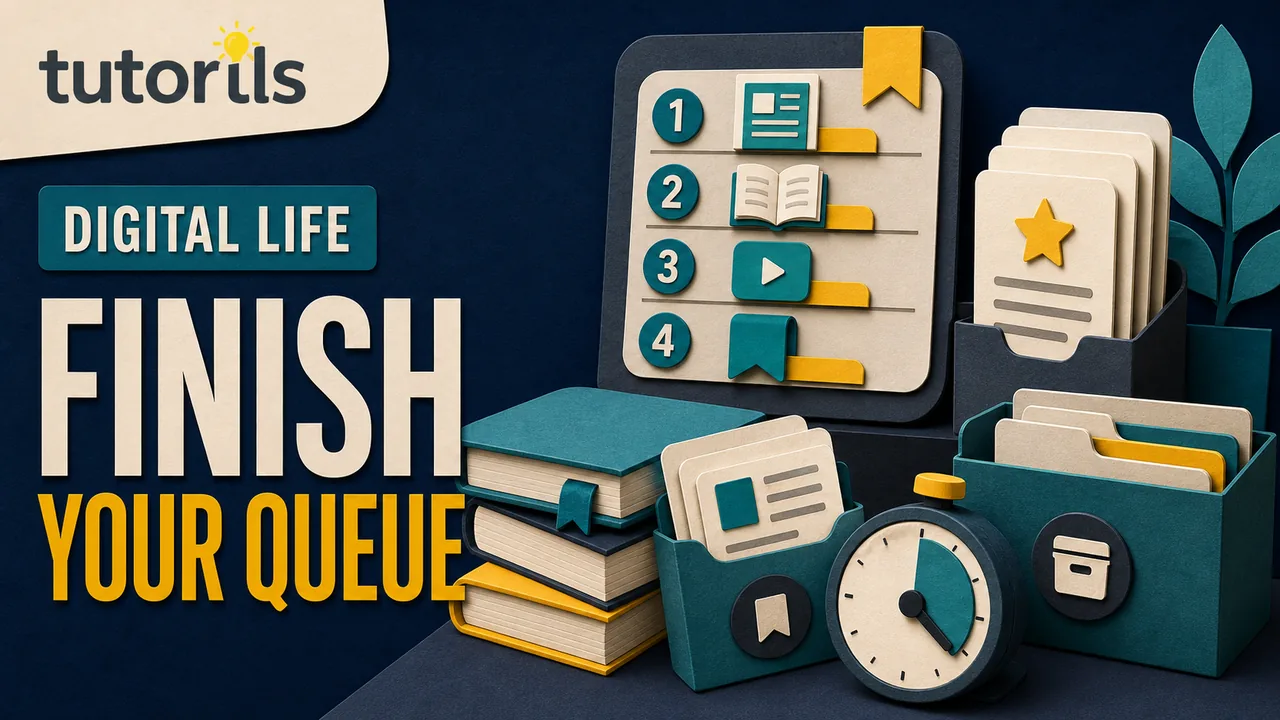
A finishable queue has an entry rule, a capacity, a next item, and a way to remove material without guilt. It also separates casual reading from research that needs a permanent source record.
This guide uses browser reading lists, bookmarks, or a reference manager, but it does not depend on one app. The aim is to create a small decision system that survives busy weeks and device changes.
Give the queue one job
Decide what belongs in the queue.
Examples:
- material needed for an active project
- practical guides to use within a month
- long articles reserved for weekly learning time
- official documents awaiting review
Do not mix every social post, entertainment recommendation, research source, and work document into one undifferentiated list. If an item supports formal research, save it with full source details in a research library. A reading list is not a citation record.
Write a one-sentence rule such as This queue holds material I expect to read for an active project or decision within 30 days. A rule makes deletion easier.
Choose one main capture place
Pick one system that is available on the devices where reading happens. It can be a browser reading list, bookmark folder, notes database, task manager, or reference manager.
The system needs only a few controls:
- quick capture
- title and original link
- simple status
- manual order or priority
- search
- export or backup
- removal
Avoid choosing a tool because it can store thousands of items. Capacity is not the problem. The queue must make the next decision visible.
If the material is mostly web pages, the browser's built-in list may be enough. Google documents how to save pages in Chrome's Reading List, reorder or delete items, and save a page separately for offline use. Apple explains how Safari Reading List can mark items read or unread and save pages offline.
Browser menus and sync behavior can change, so follow the current instructions for the version and account you use.
Add a capture gate
Before saving an item, answer three questions:
- What will this help me do?
- When will I read it?
- Is it better than something already in the queue?
If there is no task, decision, or genuine interest behind the item, leave it unsaved. Search can find another article later.
Do not save an item only because the headline creates anxiety about missing out. Open it briefly and confirm that the page contains the promised material, comes from an identifiable source, and is readable without an unwanted sign-up or unsafe download.
Remove duplicates at capture. Keep the primary or clearest source when several pages repeat the same announcement.
Record one reason for every item
Add a short note such as:
- choose between two backup methods
- verify cancellation steps for article update
- prepare questions for client call
- learn one shortcut for current design work
The reason determines whether the item is still relevant during review. Interesting is usually too vague.
For time-sensitive material, add a due date or expiry date. A conference schedule, limited offer, breaking-news analysis, or software migration notice may become useless quickly.
For longer material, estimate size using the information available, such as page count, video duration, or the publisher's stated reading time. Do not spend more time estimating than reading.
Set a visible capacity
Choose a maximum that fits the time you actually reserve. The number is a personal operating limit, not a productivity target.
When the queue reaches capacity, adding an item requires one of three actions:
- read something now
- remove an older item
- replace a weaker item with the new one
This turns capture into prioritization. Without a limit, every choice is deferred.
Use a separate archive for material already read and worth keeping. The active queue should not contain completed items merely to show progress.
If work and personal reading compete, give them separate limits or alternate reading sessions. Do not create separate tools unless one combined list makes the next choice unclear.
Use five simple states
A practical queue can use:
- Inbox
- Next
- Reading
- Used or noted
- Removed
Inbox is temporary. Next contains only a few items. Reading contains the item currently open. Used or noted means the useful result has been captured elsewhere. Removed means the item no longer deserves attention.
The Tutorils guide to choosing one task manager explains why one dependable home works better than several overlapping systems. Apply that idea here. Do not maintain one reading status in the browser, another in notes, and a third in chat messages.
If you use Zotero, its official collections and tags guide explains that tags can represent workflow states such as to-read, and one item can belong to several collections without duplication.
Pick the next item with a rule
Do not scan the entire queue every time you have ten free minutes. Keep a small Next section and choose from it.
Prioritize in this order:
- Needed for a current decision or deadline
- Removes a blocker for active work
- Likely to change what you do
- Supports a subject you are deliberately learning
- Pure interest
Within the same priority, choose an item that fits the available time and attention. A short official help page may suit a work break. A long report may need a protected session.
Do not read only short items to make the completed count rise. The queue exists to support useful reading, not a streak.
Reserve real reading time
Put reading into the calendar at a frequency the week can support. Name the material or queue rather than adding a vague event called catch up.
Possible sessions include:
- 20 minutes before the first meeting
- one longer block during a weekly review
- offline reading during a regular journey
- project research immediately before drafting
The Tutorils guide to calendar blocking without overscheduling explains how to protect useful time while leaving room for interruptions. Do not fill every gap with reading and then treat rest as failure.
Keep one item ready for the session. Choosing at the scheduled time consumes the attention the block was meant to protect.
Read with an exit question
Before opening an item, repeat the reason it was saved. This gives the session an end.
Useful exit questions include:
- What decision did this change?
- What step will I try?
- What claim needs verification?
- What should be added to the project brief?
- Is this source worth keeping permanently?
Stop when the question is answered. You do not owe every article a complete read. Scan headings and source notes first. A section may contain everything needed for the current task.
If the item does not deliver its headline promise, remove it. Do not keep reading to justify the time already spent.
Capture the result, not a pile of highlights
After reading, write one of four outcomes:
- action
- decision
- question
- source note
An action belongs in the task system. A decision belongs in the project record. A question goes to research. A source note belongs with complete provenance.
Avoid highlighting half the article. A useful note states what changed and links back to the source.
The Tutorils guide to organizing notes without building a second job provides a light method for turning notes into useful retrieval rather than another inbox.
Move the item out of the active queue as soon as its result is captured.
Use offline saving carefully
Offline access is useful during travel or unreliable connectivity. In Safari, Apple says Reading List items can be saved offline. Chrome's help page distinguishes adding an item to the Reading List from downloading a page for offline use.
Test the item before depending on it. Pages with scripts, video, interactive graphics, or authentication may not work completely offline.
Respect copyright and access controls. Offline saving is not permission to redistribute a paid or restricted article. Keep sensitive project documents only on approved devices and storage.
Remove offline copies that are no longer needed, especially on shared or low-storage devices.
Separate reading from research preservation
A reading queue answers What will I read next? A research library answers What evidence supports this claim, and where did it come from?
Move an item to the research system when it contains evidence you may cite, a policy you must revisit, or a source that affects a consequential decision. Capture author, organization, title, date, URL, access date, relevant passage, and scope.
Do not assume a browser reading list preserves a stable copy or complete metadata. Even when offline saving is available, the page can lack the information required for citation and later verification.
Casual reading can leave the queue after completion. Evidence needs a durable record and backup.
Run a weekly queue review
Review the active list once a week. The Tutorils guide to creating a reliable weekly review can include this as one small section.
For every item, decide:
- Next: still important and scheduled soon
- Later: relevant but outside the current limit
- Research: needs a permanent source record
- Remove: no longer useful
Check broken links and changed titles only for items you still intend to read. Do not spend an hour repairing a backlog that should be deleted.
Choose the first item for the coming week and reserve its session. If no reading time exists, reduce the queue instead of pretending the capacity remains the same.
Recover from an oversized backlog
Do not review hundreds of old items one by one. Use a reset.
- Export or back up the list if deletion would cause anxiety.
- Keep only items tied to an active project or current decision.
- Move a small number of genuine interests into Later.
- Archive formal sources with proper details.
- Remove the rest from the active queue.
A saved link is not a promise. Removing it does not erase the knowledge from the internet, and the best source can usually be found again when a real need appears.
Avoid moving the entire backlog into a new app. That changes the container without changing the decisions.
Share a queue with clear ownership
Team reading lists need an owner, reason, and deadline for each item. A shared channel full of dropped links is not a queue.
When assigning an item, state what the person should return: a decision, summary, risk, recommendation, or source check. Avoid assigning the same long article to several people unless comparison is intentional.
Record the useful result in the project system so colleagues do not need to reread the source to learn the decision. Preserve the source link and date.
Remove access when a project ends and follow the organization's retention policy for downloaded or restricted material.
Use this compact maintenance checklist
At capture:
- The item fits the queue's purpose.
- Its source and title are identifiable.
- A reason and likely reading time are recorded.
- It is better than an existing item.
Before reading:
- The item is in Next.
- A real session exists.
- The exit question is clear.
After reading:
- The action, decision, question, or source note is captured.
- Formal evidence moves to the research system.
- The item leaves the active queue.
At weekly review:
- The queue stays within capacity.
- Expired and duplicate items are removed.
- The first item for next week is chosen.
- Offline copies and shared access remain appropriate.
A reading queue becomes finishable when saving requires a reason and completion produces a result. Keep one capture place, a small Next list, protected reading time, and permission to remove anything that no longer serves current work.
Reader answers
Frequently asked questions
Open a question to read the answer. Opening another answer closes the previous one.
What belongs in a reading queue?
Save material you genuinely expect to read for an active project, current decision, deliberate learning goal, or personal interest within a defined period. Formal evidence belongs in a research library with full source details.
How many items should a reading queue contain?
There is no universal number. Set a visible limit that fits your actual reading time. When the queue is full, read, remove, or replace an item before adding another.
Which app is best for a reading queue?
Use one tool available where you read that supports quick capture, titles and links, status, ordering, search, export, and removal. A browser reading list may be enough for mostly web-based reading.
How do I decide what to read next?
Prioritize material needed for a deadline or current decision, then items that remove a blocker or may change your work. Keep only a few items in Next so choosing does not consume the reading session.
Do I need to finish every saved article?
No. Stop when the question that caused you to save it is answered. Remove pages that do not deliver their promise, duplicate stronger sources, or no longer serve a current need.
How is a reading list different from a research library?
A reading list answers what to read next. A research library preserves evidence with author, title, date, URL, access date, relevant passage, scope, identifiers, notes, and backup.
Can browser reading lists save pages offline?
Some can. Chrome documents separate reading-list and offline-download options, while Safari supports offline Reading List items. Test pages before travel because scripts, video, interactive content, and authentication may not work completely.
What should I write after reading an article?
Capture one useful outcome: an action, decision, question, or source note. Put it in the correct project system, then remove the completed item from the active queue.
How often should I review a reading queue?
Review it weekly. Choose the next item, remove duplicates and expired material, move formal evidence to research, and reduce the list when the coming week has less reading time.
How do I reset a huge read-later backlog?
Back it up if needed, retain items tied to active work, keep a small Later list, move formal sources to research, and remove the rest. Do not transfer the entire backlog into another app.