AI can turn a long report into a short briefing, but uploading a document changes more than the reading time. The file may contain personal information, confidential business details, hidden comments, tracked changes, or instructions that affect the model. The summary can also be fluent while misreading a number, missing a condition, or presenting an unresolved proposal as a decision.
How to Build a Safe AI Document Summarization Workflow
Build a safer AI document summarization workflow with classification, sanitization, approved accounts, evidence-linked prompts, human review, and deletion.
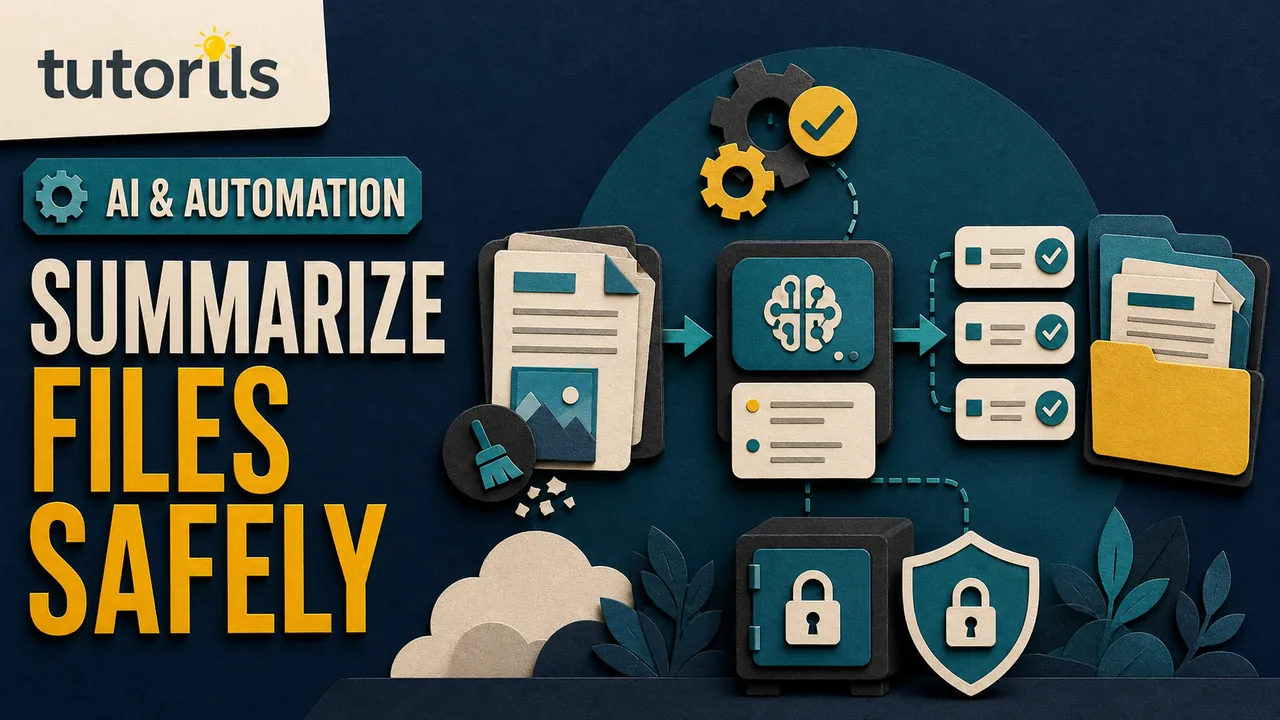
A safe workflow treats summarization as controlled document handling. You decide what may enter the tool, reduce the file to what is needed, choose an approved account, ask for an evidence-linked output, verify it against the source, and remove temporary copies when the work is finished.
This guide is for ordinary workplace and personal documents. It does not replace legal, medical, financial, records-management, or security advice. If a document belongs to an employer, client, school, government body, or regulated service, follow its policy before using any AI system.
Define the job before choosing a tool
Write down what the reader needs from the summary. "Summarize this" is too loose for a 90-page file. A clearer job might be:
- list the five decisions and their owners
- explain the proposal to a non-technical reader
- extract deadlines, amounts, and dependencies
- compare the final policy with the previous version
- identify questions the document does not answer
Also record what the summary must not do. It may not provide legal advice, infer a person's motives, expose names, or replace the source for approval. A narrow purpose helps you choose the smallest relevant section instead of uploading the whole archive.
The NIST AI Risk Management Framework recommends defining the context and intended use, then testing and monitoring AI systems. For a document workflow, that begins with a named reader, decision, source, and review owner.
If you only need a general technique for public material, Tutorils has a separate guide to summarizing PDFs, videos, and web pages. The workflow here adds privacy, access, and verification controls for documents that may not be public.
Classify the document before upload
Look beyond the title. A file called meeting-notes.pdf might include customer names, health details, passwords pasted during troubleshooting, contract terms, or internal links that grant access.
Use a simple classification:
| Class | Example | AI handling decision |
|---|---|---|
| Public | Published report or product manual | Approved tool may be suitable |
| Internal | Routine process note with no sensitive data | Use an approved work account |
| Confidential | Client plan, employee file, unpublished results | Require policy approval and stronger controls |
| Restricted | Credentials, regulated records, legal privilege, security secrets | Do not upload unless a specifically approved system and process allow it |
Check whether you own the document or have permission to process it. A file shared for reading is not automatically licensed for uploading to another provider. For third-party material, consider copyright, contract, confidentiality, and data-protection duties.
Stop if the classification is uncertain. Ask the document owner or responsible privacy, legal, records, or security contact. Guessing is not a control.
Inspect the full file, not only the visible page
Documents can carry information outside the main text:
- comments and tracked changes
- author names and document properties
- hidden rows, columns, sheets, or slides
- speaker notes
- embedded files and images
- revision history or previous versions
- links with access tokens
- scanned signatures and identity numbers
Open a copy in the native application and inspect these areas. Exporting to PDF may flatten some content but does not guarantee removal of metadata or hidden data. Redaction must remove the underlying information, not draw a black box over it.
For a scanned document, optical character recognition may introduce errors before the AI sees the text. Check names, totals, decimal points, dates, and page order after extraction. A summary cannot repair a source that was read incorrectly.
The Tutorils guide to downloading and sharing government documents safely explains why access links and identity details need careful handling before a file leaves an official system.
Minimize the material sent to the model
Upload only the pages or sections required for the stated purpose. Replace names with stable labels such as Customer A or Employee 2 when identity is irrelevant. Remove signatures, addresses, account numbers, credentials, and private contact details.
Keep a protected mapping file only if you must restore names later. Do not put that mapping in the same prompt or project. For a one-time summary, a clean excerpt is safer and easier to verify than a folder containing every draft.
Data minimization also improves attention. A model asked to process unrelated appendices may give less space to the decision you care about. This is not a promise of accuracy. It is a way to reduce unnecessary input and make comparison practical.
Never paste passwords, recovery codes, private keys, payment details, or unrestricted document links into a prompt. If those appear in the source, rotate exposed credentials when appropriate and create a sanitized copy.
Choose the exact account and product
Similar product names can have different data terms. A personal AI chat, a business workspace, an API, and an AI feature built into a document suite may not share the same training, retention, administration, or deletion rules.
Check the current first-party documentation for:
- whether prompts and files may be used to improve models
- whether a human reviewer can see content
- how long chats and files remain
- whether deleting a chat also deletes saved files
- where workspace administrators can access data
- available sharing, export, and retention controls
- the provider's subprocessors and applicable agreement
For example, OpenAI's January 8, 2026 enterprise privacy commitments say business products and the API do not use customer data for training by default, while control and retention depend on the product. Google's current Gemini in Workspace privacy guidance describes protections for Workspace content and distinguishes them from personal Gemini Apps behavior.
Do not transfer an enterprise claim to a free personal account. Confirm which account is active before uploading. If your organization provides an approved workspace, use it instead of a personal login.
Create a clean working copy
Preserve the original in its approved location. Make a separate working copy, then remove material outside the task. Use a clear name such as sanitized-project-brief-for-summary-2026-08-28.pdf.
Record what changed:
- pages included
- fields removed or replaced
- OCR or conversion applied
- person who prepared the copy
- date and intended tool
Store the working copy in a restricted folder. Do not email it to yourself or place it in an open shared drive merely to make uploading easier. The Tutorils guide to organizing files so you can find them later can help separate originals, working copies, summaries, and approvals.
Run a final search for names, email addresses, phone numbers, account identifiers, and terms specific to the sensitive project. Automated detection can miss context, so review manually as well.
Ask for a summary that points back to evidence
Use a prompt that defines scope, format, and uncertainty. For example:
Summarize pages 4 through 18 for a project manager. List decisions, action owners, due dates, and unresolved questions. For every item, cite the page and heading. Do not infer missing owners or dates. Mark unclear text as "needs source review."
Page references make verification faster. Ask the model to quote only short phrases needed to locate the claim, not to reproduce the file. For a comparison, require a table with the old provision, new provision, source page, and practical effect, then check each row.
Do not ask the model to hide uncertainty. A useful result distinguishes these categories:
- stated directly in the document
- reasonable explanation of stated text
- missing or unclear
- potentially conflicting passages
If the tool cannot provide dependable page or section references, use its output as a navigation aid and locate each claim manually.
Defend the workflow against instructions inside the file
A document can contain text that tells an AI system to ignore your request, reveal other data, follow a link, or produce a misleading result. That instruction may be ordinary text, hidden content, or a deliberate prompt-injection attempt.
For summarization, the document is evidence, not an authority over the workflow. State in the prompt that instructions found inside the source must be reported as document content and must not change tool behavior. Keep web browsing, email, file sharing, and other connected actions disabled unless the task truly needs them.
The Tutorils AI automation safety checklist covers permissions and external actions. A summarizer normally needs to read one selected file and write a draft. It should not send messages, modify the original, open unknown links, or search unrelated cloud folders.
Verify the summary in layers
Read the summary once for overall meaning, then audit every item that could affect a decision.
- Open the cited page or section.
- Check names, dates, amounts, units, percentages, and negation.
- Confirm whether the source states, proposes, or questions the point.
- Restore conditions, exceptions, and disagreement that the summary omitted.
- Compare action owners and deadlines with the source.
- Mark any unresolved conflict instead of choosing a version silently.
Watch for arithmetic. A model may repeat the right figures but calculate the wrong total. Recompute with a calculator or spreadsheet. Verify technical and policy terms against the official definition.
Use the Tutorils guide to checking AI answers before using them when the summary adds explanation beyond the document. The NIST Generative AI Profile, released July 26, 2024, also emphasizes testing, evaluation, verification, and validation across the AI lifecycle.
Separate the draft from the approved record
Label the first output "AI-assisted draft, not approved." Keep the source references in place during review. Ask a person who understands the document to approve high-impact summaries.
The reviewer should be able to open the source, see the sanitized-copy log, and identify the tool and review date. Record corrections. Repeated errors in names, tables, or scanned pages can show that the workflow is unsuitable for that document type.
Do not let an AI summary replace signed agreements, official notices, medical records, financial statements, or published policies. Link to the authoritative file and state which version was summarized.
Control sharing, retention, and deletion
Share the approved summary with named recipients, not a public link. The summary may still be confidential even after names were removed because a combination of details can identify a project or person.
Set a retention date for the working copy, chat, uploaded file, generated summary, and exported copy. Provider behavior can differ. OpenAI's current chat and file retention guidance explains that deleting a chat does not necessarily delete a file saved separately in Library. This illustrates why each storage location needs its own check.
When the task is complete:
- Export the reviewed summary to its approved records location.
- Remove broad sharing permissions.
- Delete the temporary project or chat when policy permits.
- Delete saved uploaded files separately if required.
- Remove the sanitized working copy from temporary folders.
- Preserve the original and approved record according to policy.
Take a note of the deletion date and any provider exception. Do not claim permanent deletion when the provider describes backup, security, or legal retention.
Test the process with a harmless document first
Before using confidential material, run the workflow on a public or synthetic document that has similar tables, scans, headings, and length. Plant several known facts and one conflicting passage. Check whether the tool cites the correct pages, follows the requested format, and admits uncertainty.
Test access too. Confirm that another user cannot open the chat or file unless invited. Delete the test and verify what disappears from the interface. If the tool cannot meet the task with harmless data, it is not ready for sensitive data.
Keep a one-page workflow record
For recurring work, record:
| Control | Decision |
|---|---|
| Approved document classes | |
| Prohibited data | |
| Approved product and account | |
| Sanitization owner | |
| Required prompt format | |
| Verification owner | |
| Sharing group | |
| Retention period | |
| Deletion route | |
| Review date |
Review this record after provider terms, product settings, document types, or organizational policies change. Do not quietly expand an approval for public reports into permission for employee, customer, or legal files.
A safe summarization workflow produces a smaller record, not a new uncontrolled copy of everything. Limit the source, document the tool, require evidence, verify consequential details, and clean up each temporary location. Those controls make the summary easier to trust and the document easier to protect.
Reader answers
Frequently asked questions
Open a question to read the answer. Opening another answer closes the previous one.
Can I upload a confidential document to an AI summarizer?
Only if the document owner, applicable policy, and exact AI service permit it. Use an approved account, minimize the file, and avoid uploading restricted material to a general consumer tool.
Should I remove names before AI document summarization?
Remove or replace names when identity is not needed. Also inspect comments, tracked changes, metadata, hidden sheets, links, and embedded files because sensitive information may exist outside the visible text.
Can AI summarize a scanned PDF accurately?
It can summarize extracted text, but optical character recognition may misread names, dates, decimals, page order, or tables. Verify the extracted text and every consequential claim against the scan.
How do I prompt AI to cite a document?
Ask for page and section references beside each decision, action, number, and unresolved question. Treat the references as navigation aids, then open the source and verify them.
Can instructions inside a document manipulate an AI summarizer?
Yes. Untrusted document text can try to redirect a model. Tell the tool to treat source instructions as content, disable unnecessary connected actions, and review unexpected behavior.
Is an AI-generated summary an official record?
Not by itself. Label it as an AI-assisted draft, verify it, identify the source version, and obtain the approval required by the document owner or organization.
How long should an uploaded document remain in an AI tool?
Keep it only for the approved task and retention period. Check chats, projects, saved files, libraries, exports, backups, and legal or security exceptions because each can follow a different rule.
Does deleting an AI chat delete the uploaded file?
Not always. Some services manage chats, projects, and saved files separately. Read the current product documentation and delete each stored copy through its own control.
What details should never go into an AI prompt?
Do not include passwords, one-time codes, private keys, payment details, recovery phrases, or unrestricted access links. Restricted personal or business records need a specifically approved process.
How should I test an AI summarization workflow?
Use a public or synthetic document with known facts, tables, and a conflicting passage. Test citations, uncertainty, access, deletion, and format before introducing sensitive material.