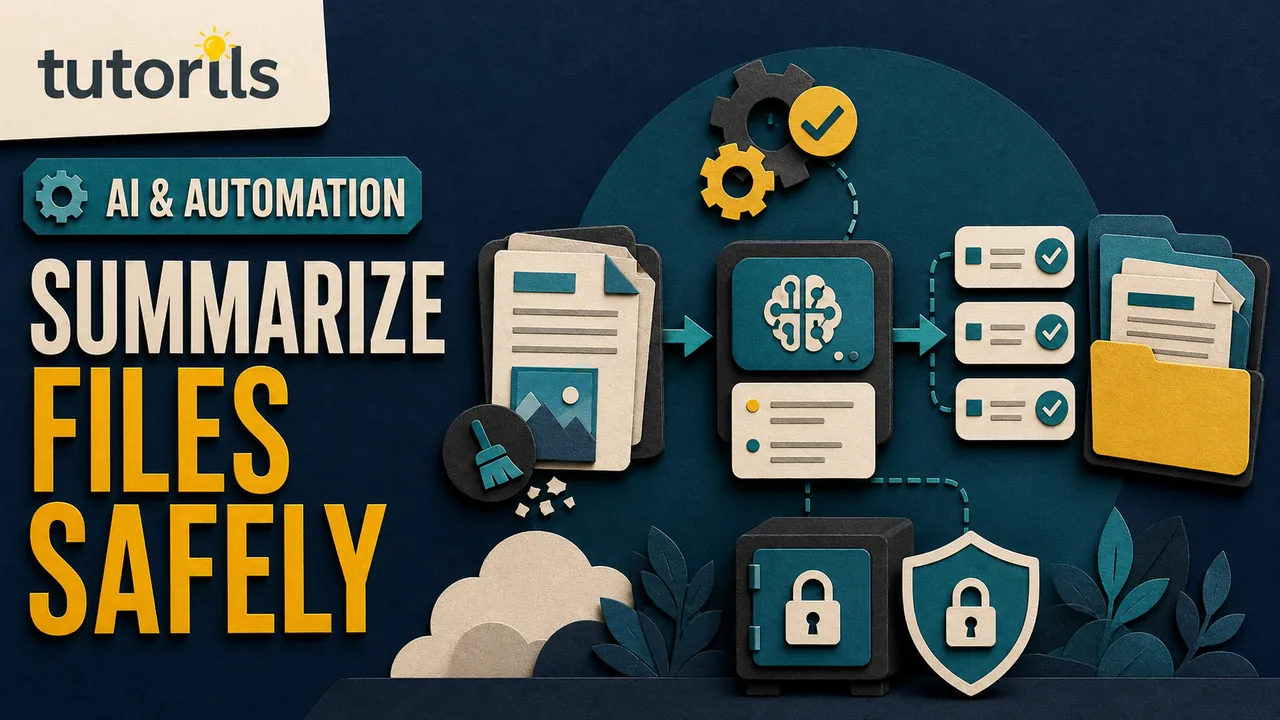
An AI tool may promise to summarize, analyze, rewrite, or organize a file in seconds. Before uploading, you need a different answer: what happens to the document after it leaves your device?
How to Compare AI Tool Privacy Policies Before Uploading Files
Compare AI privacy policies before uploading files by checking the exact account, model training, human review, retention, deletion, sharing, and connected tools.

The answer rarely sits in one sentence. A privacy policy may describe the company broadly, while a help page explains file retention, a product page covers model training, and a workspace agreement gives business customers different controls. Account settings can change the result again.
This guide shows how to compare those materials without pretending that a short policy review can prove a service is safe. The goal is a defensible upload decision based on the exact product, account, file, and purpose.
Start with the file, not the vendor
List what the file contains before reading any policy. Include visible text, images, metadata, comments, tracked changes, hidden sheets, speaker notes, and embedded attachments.
Classify the information:
- public information already released by its owner
- routine internal material
- personal information about you or another person
- confidential client, employee, financial, health, legal, or security information
- credentials, private keys, recovery codes, payment details, or identity documents
Do not upload credentials or unrestricted access links to a general AI tool. For sensitive business or regulated material, use only a system and process approved by the responsible owner. Policy comparison is not permission to ignore a contract, law, employer rule, or duty to another person.
If you need a summary, consider creating a sanitized excerpt first. Tutorils explains this workflow in How to Use AI to Summarize PDFs, Videos and Web Pages.
Identify the exact product and account
Do not search only for the company name. Record:
- product name and feature
- web, mobile, desktop, extension, or API
- personal, education, business, or enterprise account
- free or paid plan
- workspace owner or administrator
- region, if the service has regional terms
- connected apps and plug-ins
A provider may handle consumer chats differently from business workspace data. A file uploaded to an ordinary conversation may have different retention from a file saved in a project, custom assistant, library, or connected drive.
Confirm the signed-in account before upload. A work email displayed in the browser does not prove the current AI tab uses the managed workspace. Open account information and capture the relevant plan name for your review record.
Collect the documents that govern the upload
Use the provider's official website and support center. Gather the current versions of:
- privacy policy or privacy notice
- product terms
- file upload and retention help
- model training or service-improvement policy
- data controls instructions
- business or enterprise privacy terms, if applicable
- security and subprocessor information
- administrator documentation for managed accounts
Record each URL and the date you checked it. Save a PDF or screenshot if your organization requires evidence, but check whether the terms prohibit or limit copying. A search-result snippet is not enough because it can be shortened or stale.
The NIST Privacy Framework is a voluntary risk-management tool that considers data processing across its lifecycle. That wider view is useful here: collection, use, access, sharing, retention, deletion, and security all matter.
Ask whether files are used to train or improve models
Look for precise language about prompts, uploads, outputs, feedback, and connected-app data. These are not always covered by one sentence.
Separate four possibilities:
- the provider does not use this account's content for training by default
- the provider uses content only when an administrator or user opts in
- the provider may use consumer activity depending on a setting
- safety review, feedback, or legal exceptions can follow separate rules
OpenAI's January 8, 2026 enterprise privacy page says its listed business products and API do not use customer data to train models by default. That statement does not automatically describe every consumer feature. Google's current Gemini Apps Privacy Hub explains that consumer activity settings affect use and human review, while Google gives different commitments for Gemini inside Workspace.
Read the setting yourself. If training or improvement is optional, check the current value before uploading and understand whether changing it applies only to future activity.
Check human review and feedback rules
A provider may use automated systems for most processing but permit trained reviewers to inspect a subset of conversations for safety, quality, abuse, or feedback. De-identification can reduce risk without making sensitive content harmless.
Ask:
- Can employees or service providers review content?
- What triggers review?
- Is the file included when you submit feedback?
- Does turning off activity or training change review?
- How long is reviewed data retained?
- Is reviewed data disconnected from the account?
Do not upload a confidential file merely because the chance of review sounds small. If a reviewer is not allowed to see the information, use another process.
Map every retention clock
"Delete anytime" does not tell you when data leaves active systems, backups, safety systems, or saved-file storage. Locate retention for:
- chat history
- uploaded files
- project or assistant knowledge
- library or saved files
- temporary chats
- feedback and reviewed content
- logs and abuse monitoring
- backups
- legal or security exceptions
OpenAI's current chat and file retention guidance says chats and Library files can be managed separately, so deleting a chat may not delete a saved file. Google's Gemini guidance describes different periods for saved activity, temporary chats, and human-reviewed material. These are examples of why you must map the exact feature rather than copy one headline number.
Write the result in plain language: "The file stays while the project exists; deleting the project starts a stated deletion process; some security or legal exceptions may apply." If you cannot explain the lifecycle, do not upload sensitive material.
Find the deletion controls before uploading
Open the settings and locate the actual deletion route. Check whether you can delete:
- the conversation
- the uploaded file
- a saved Library item
- a project or custom assistant
- a shared link
- account activity
- the whole account
Deletion from your screen may not equal immediate erasure from every system. Record the provider's wording instead of promising permanent deletion.
For a recurring workflow, perform a harmless test. Upload a synthetic file, find it in every relevant interface, delete it, and see which records remain visible. Do not use a real client document as the deletion test.
Understand sharing and administrator access
Check whether conversations or files can be shared by public link, workspace link, invite, plug-in, or connected app. Review the default, not only the options.
In a managed account, administrators may control features, retention, sharing, exports, audit records, and access. That can improve governance, but it means the content is not private from the organization that owns the account. OpenAI's managed account notice says administrators may be able to access, export, audit, retain, delete, or control content associated with that account.
Ask who owns the workspace and what happens when you leave. A personal file should not go into an employer-managed account without permission, and a work file should not go into a personal account to avoid organizational controls.
Review connected tools and subprocessors
An AI chat may send information to a connected search service, cloud drive, plug-in, action, or external API. The primary provider's privacy policy may not govern what the external service does.
List enabled connections. Turn off those not needed for the task. Check whether the file or extracted content can be sent to a third party, and read that party's policy too.
For business review, examine the provider's current subprocessor list, data-processing agreement, transfer mechanism, and security documentation. A compliance badge alone does not tell you whether your proposed upload is permitted.
The Tutorils AI automation safety checklist covers permissions and connected actions in more detail.
Compare security claims with usable controls
Look for encryption in transit and at rest, multifactor authentication, role-based access, audit logs, sharing controls, incident notification, and independent assurance. Then check which plan actually includes each control.
Security does not cancel privacy risk. An encrypted service can still retain a file longer than you want or use it for a purpose you did not expect. A strong privacy promise also needs account security so another person cannot open your uploads.
Use a unique password and multifactor authentication or a passkey where supported. Remove public links and former workspace members. If your email was exposed, the Tutorils guide to checking whether an email appeared in a data breach can help you review account risk.
Read policy verbs carefully
Small words change the meaning:
- may allows an action under stated conditions
- by default leaves room for an opt-in or administrator change
- de-identified does not necessarily mean the source was never visible
- service providers means another organization may process data
- improve services can be broader than model training
- retain as necessary needs an explanation of purpose and exception
- you control should point to a real setting or contract right
Look for conflicts between marketing pages and binding terms. If a help page is newer, record both and ask the provider which governs. Do not resolve ambiguity by choosing the most reassuring sentence.
Use a comparison table
Complete one row for each exact product and account:
| Question | Tool A | Tool B | Evidence URL |
|---|---|---|---|
| File type and purpose allowed | |||
| Training default | |||
| Opt-in or opt-out control | |||
| Human review | |||
| Chat retention | |||
| File retention | |||
| Deletion route | |||
| Administrator access | |||
| Sharing default | |||
| Connected third parties | |||
| Security controls on this plan | |||
| Policy date checked |
Use "not found" when the official materials do not answer a question. That is a decision-relevant result, not an invitation to invent an answer. Contact the provider before using the service for sensitive data.
Make a file-specific decision
Do not pick one tool as universally private. Decide for the file in front of you.
Proceed when the file is permitted, the account is correct, the purpose is narrow, controls meet your requirements, and the review owner accepts residual risk.
Sanitize first when the task can work without names, identifiers, hidden metadata, or unrelated sections.
Use an approved internal system when the material is confidential and your organization has a governed platform.
Do not upload when the file contains prohibited data, another person's information without authority, credentials, unclear rights, or requirements the provider cannot meet.
For output accuracy, use Tutorils' AI answer verification guide. Privacy review cannot tell you whether the analysis is correct.
Recheck when the product changes
Save the decision date, reviewer, product, plan, policy links, settings, file class, and retention choice. Review the record after a provider changes terms, adds connected apps, moves file storage, changes plan features, or introduces a new activity control.
Do not rely on an old screenshot for a current upload. Policies and interfaces change, while the sensitivity of a file can change as a project develops.
A useful privacy comparison ends with a clear action, not a score. Know the document, identify the exact service, trace training and review, map retention and deletion, inspect sharing and connected tools, and record the evidence. If an important answer is missing, keep the file off the service until the gap is resolved.
Reader answers
Frequently asked questions
Open a question to read the answer. Opening another answer closes the previous one.
What should I check before uploading a file to an AI tool?
Identify the exact product and account, classify the file, then check model training, human review, retention, deletion, sharing, administrator access, connected services, and security controls.
Do all AI plans use uploaded files the same way?
No. Consumer, business, education, enterprise, and API products can have different terms and controls. Verify the signed-in account and documentation for the exact feature you will use.
Does opting out of AI training make file uploads private?
It can change one use of the content, but it does not answer retention, safety review, administrator access, legal exceptions, sharing, or third-party processing. Review the full lifecycle.
Can humans review files uploaded to AI tools?
Some providers allow limited human review for safety, quality, abuse, or feedback under stated conditions. Check what triggers review, what content is included, and how long reviewed material remains.
Does deleting an AI conversation delete its uploaded file?
Not necessarily. Chats, libraries, projects, custom assistants, and saved files may have separate controls. Find each copy and follow the provider's current deletion instructions.
Can my workplace administrator see AI uploads?
A managed workspace administrator may be able to access, export, audit, retain, delete, or control content, depending on the provider agreement, settings, and applicable rules.
Should I trust an AI company's security certification?
Treat it as one evidence point. Confirm that the certification covers the relevant product and controls, then review permissions, retention, sharing, account security, and whether your planned use is allowed.
What does 'not used for training by default' mean?
It describes the starting setting for the named product. Opt-ins, administrator choices, feedback, safety review, or a different account type may follow other rules. Read the exceptions.
Can I upload someone else's document to an AI tool?
Only when you have authority and the upload complies with ownership, confidentiality, contract, privacy, and organizational requirements. Read access alone may not authorize third-party processing.
How often should I recheck an AI privacy policy?
Recheck before sensitive uploads and after changes to terms, account plan, connected apps, file storage, activity controls, or organizational policy. Record the URLs and review date.