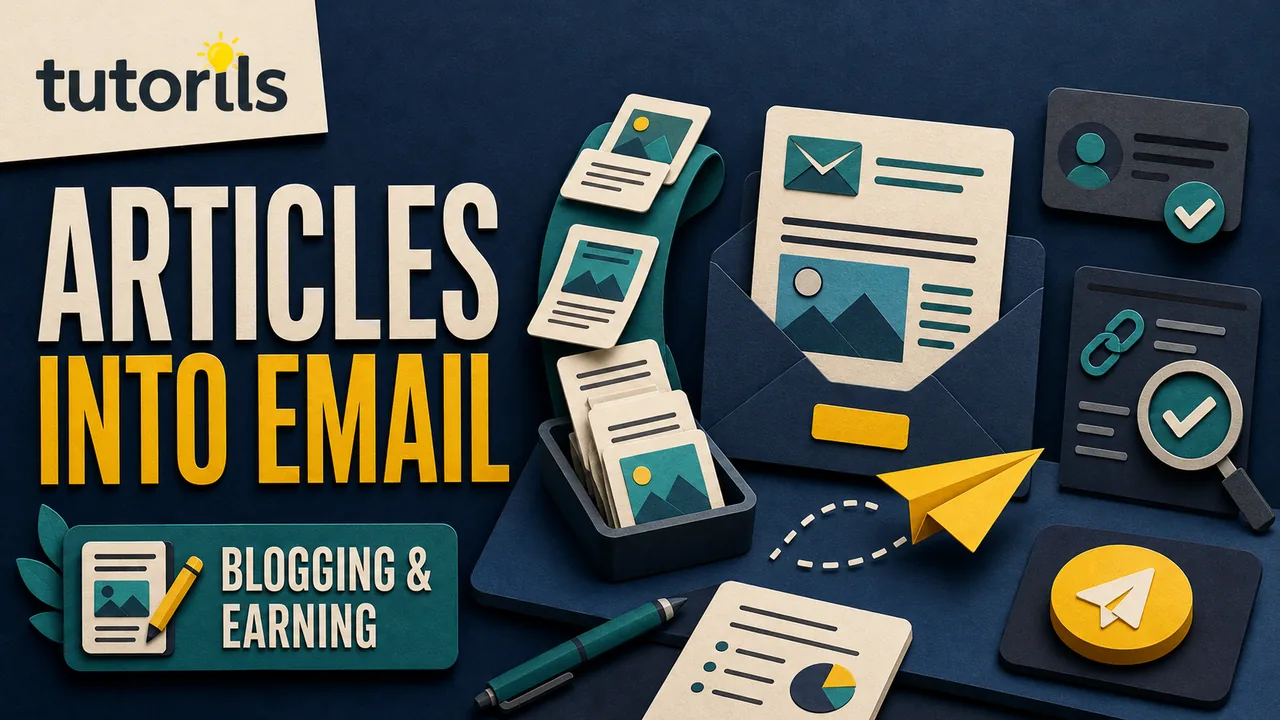
A newsletter built from existing articles should feel like a useful letter, not a weekly list of old links. The articles provide research and depth. The email gives readers a timely reason to care, a clear next step, and a dependable way to return to the site.
How to Build an Email Newsletter from Your Best Articles
Turn your strongest articles into a permission-based newsletter with a clear promise, current source checks, sender authentication, accessible issues, testing, and useful measurement.
This approach works well for a publisher with a growing archive because it does not require inventing a new topic every time an email is due. It does require judgment. A page that attracted many visits may be outdated, too narrow for subscribers, or popular for a reason unrelated to the newsletter's purpose.
The workflow below covers audience, consent, article selection, issue structure, sender setup, accessibility, measurement, and maintenance. It does not promise subscriber growth, inbox placement, advertising approval, or income.
Define the newsletter promise
Write one sentence that explains who the newsletter serves and what arrives in the inbox. Keep it specific enough to guide selection.
For example:
A weekly email for beginners who want one practical technology task, the safest way to complete it, and two related guides for later.
This is more useful than the latest posts from our blog. The specific promise tells an editor which articles belong and what must be left out.
Decide:
- primary audience
- recurring problem
- normal frequency
- approximate reading time
- type of action readers can take
- topics the newsletter will not cover
Do not promise a fixed frequency until the team can maintain it. A reliable monthly issue is better than a daily promise that disappears after a week.
If the publication covers several categories, consider one broad digest with clear sections before creating several small lists. Every additional list needs its own promise, consent record, content supply, reporting, and unsubscribe behavior.
Start with permission, not imported addresses
Use a sign-up form that explains what a person will receive. Do not add addresses copied from contact forms, customer records, public pages, purchased lists, or personal address books unless a valid permission and applicable law support that use.
Keep evidence of how and when each subscriber joined, the wording shown at sign-up, the source form, and any confirmation. A confirmation email can catch typing errors and unwanted sign-ups. It also gives the reader an early example of the sender name and email address.
Rules differ by country and message type. The US Federal Trade Commission's CAN-SPAM compliance guide explains that commercial email requires accurate header information, non-deceptive subject lines, a valid postal address, and a clear way to opt out. It also says businesses remain responsible when another company sends on their behalf. Publishers serving several countries should obtain appropriate legal guidance instead of treating one country's checklist as universal.
Store only the subscriber information you actually use. An email address, consent record, status, and a small number of preference fields are enough for many newsletters. More personal data creates more work and risk without automatically improving the email.
Choose a platform you can leave
Before comparing templates, inspect the controls that protect the audience and the publication.
Confirm that the provider can:
- export subscribers and consent records in a usable format
- process unsubscribes and suppressions reliably
- send from a domain you control
- support sender authentication
- provide a plain-text version
- show delivery failures and complaints
- restrict staff permissions
- document data location and sub-processors
Check current pricing against the real list size and expected send frequency. Some plans count contacts, some count sends, and some keep unsubscribed contacts billable until they are archived. Read the provider's current terms rather than relying on a comparison table that may be old.
Avoid a platform that makes list export difficult or hides essential unsubscribe controls behind a higher tier. A newsletter is a continuing relationship with readers, so ownership and portability matter more than a decorative template library.
Authenticate the sending domain
A recognizable From name is only one part of sender identity. Configure the domain records required by the email platform, then verify them inside the platform before sending a campaign.
Google's current email sender guidelines require senders to personal Gmail accounts to meet authentication and message-format standards. Requirements are stricter for senders Google classifies as bulk senders. The guidance covers SPF, DKIM, DMARC for bulk sending, TLS, aligned sender identity, spam rates, and unsubscribe requirements for marketing or subscribed messages.
Use the records supplied by the actual provider. Do not copy an SPF or DKIM value from a tutorial written for another service. If several services send mail for the same domain, ask the domain or email administrator to review the complete setup before changing DNS.
Send test messages to accounts at different mailbox providers. Inspect whether the visible sender, reply address, authentication results, and unsubscribe controls behave as expected. A successful test delivery does not guarantee future inbox placement, but it can catch obvious configuration errors.
Build an article inventory
Create a private table of candidate articles. Include more than traffic totals.
| Field | Why it matters |
|---|---|
| Article promise | Shows the reader problem it solves |
| Category and audience | Prevents unrelated recommendations |
| Last factual review | Flags stale instructions |
| Main action | Helps design the email call to action |
| Risk level | Determines how much rechecking is needed |
| Reader response | Adds replies, corrections, or support questions |
| Follow-up links | Provides a natural next step |
Look for articles that answer recurring questions, solve one concrete problem, or support a seasonal need without depending on a temporary trend. A smaller article can lead an issue if it solves a timely problem clearly.
The Tutorils guide to updating old blog posts provides a practical audit for intent, evidence, broken links, and consolidation. Run the relevant checks before placing an older guide in front of subscribers.
Do not select an article merely because it once ranked or received a burst of social traffic. Confirm that the instructions, screenshots, prices, product names, external links, and safety warnings remain accurate.
Match articles to one reader situation
An issue needs a reason to exist now. Start with a reader situation, then choose the article.
Examples include:
- preparing a laptop before travel
- reducing notification overload before a busy week
- checking an account after a data-breach alert
- organizing tax documents before a deadline
- learning one design skill for a current project
The lead article should solve the central problem. Supporting articles should handle a prerequisite, alternative, or next step. Three unrelated popular links do not become a coherent newsletter because they share a category.
The Tutorils topical authority guide explains how related pages can answer distinct questions within one subject. Use that logic for an issue: one central task, with related guides that extend rather than repeat it.
Rewrite the idea for the inbox
Do not paste the article introduction into the email. A website visitor and a subscriber arrive with different context.
Use this compact issue structure:
- A short opening that names the current problem.
- The most useful answer in plain language.
- One practical step the reader can take immediately.
- A link to the full guide for the complete process.
- One or two related resources with a reason to open them.
- A reply invitation or preference link.
- Required identity and unsubscribe information.
The email should stand on its own while making the article worth opening. Give readers the core insight, but do not squeeze a 2,000-word tutorial into a crowded message.
When an article includes a checklist, adapt one portion of it and link to the full version. When it includes a comparison, explain the decision criterion rather than copying every row. When it includes a warning, keep the warning beside the email action.
Write an honest subject line and preview
The subject should accurately describe the email. Avoid fake reply prefixes, false urgency, unsupported savings, and wording that implies an account problem when no problem exists.
Useful patterns include:
A safer way to clear Android storageBefore you install another browser extensionOne weekly reset for digital files
The preview text should add context instead of repeating the subject. A clear pair helps a subscriber decide whether the issue is relevant without opening it.
Keep the sender name stable. Sudden changes make recognition harder and can resemble unwanted mail. If the newsletter name changes, explain the change to existing subscribers.
Use one main call to action
Decide what the issue asks readers to do. The primary action may be to read a guide, complete a safety check, reply with a question, or update preferences.
Use descriptive link text. Check the full Android backup steps is more informative than click here. Keep secondary links visually quieter so the main action remains clear.
Internal links inside the article also matter after the click. The Tutorils guide to starting a WordPress blog covers the publishing foundation, while the guide to keyword research for new bloggers can help identify reader language. Use query research to understand questions, not to fill the email with repeated phrases.
If a link is commercial or affiliate-based, disclose the relationship clearly near the recommendation. The newsletter must remain useful to someone who does not purchase.
Make the message readable and accessible
Use a single-column layout that works on a narrow screen. Keep body text large enough to read, maintain good contrast, and make link areas easy to activate without tapping the wrong one.
Use real text for headings and calls to action. Do not place the entire message inside an image. Add useful alt text to informative images and empty alt text to decoration when the platform supports it correctly. A caption should not be the only place where an important limitation appears.
Keep paragraphs short, but do not turn every sentence into a separate block. Use headings only when the email is long enough to need them.
Review the automatically generated plain-text version. Remove duplicated URLs, broken spacing, raw tracking parameters, and missing context. A plain-text recipient should still understand the message and find the main link.
Add a clear reply path
A newsletter becomes more useful when readers can correct, question, or extend it. Use a monitored reply address or explain the correct contact route.
Ask a focused question such as Which step is unclear on your device? instead of a generic request for feedback. Route support, corrections, privacy requests, and business enquiries to the right person.
Do not use replies as permission to add people to another list. Respect the purpose for which the person contacted you.
Reader questions can reveal missing sections in an article. Record repeated questions in the article review queue instead of answering them only in private email.
Test every issue before sending
Send a test to at least one desktop and one mobile mailbox. Test the plain-text version as well.
Check:
- sender name and reply address
- subject and preview text
- spelling, dates, prices, and product names
- image loading and alt treatment
- every article and preference link
- affiliate disclosure placement
- unsubscribe route
- postal and sender identity details
- layout in light and dark appearance where practical
Open the full article from the test email. Confirm that its title matches the email promise and that the page works on mobile. A correct email cannot rescue a stale or broken destination.
Do not send a live campaign to test a production list. Use the provider's test function or a small internal seed list.
Measure more than opens
Open tracking is an imperfect signal because mailbox privacy features and image loading can change what is recorded. Treat it as directional when available, not as proof that a person read the message.
Review:
- successful delivery and hard bounces
- unsubscribes and complaints
- clicks on the main and supporting links
- replies and correction requests
- completed on-site actions where measured with consent
- repeat engagement across several issues
Compare results with the issue's purpose. A safety alert may earn few clicks because the useful answer appears in the email. A tutorial issue may need a click to complete the process.
Do not optimize for a clickbait subject that produces complaints or immediate exits. Trust compounds slowly and can be damaged in one send.
Create a maintainable issue calendar
Plan a small sequence around reader needs, not a promise to reuse every article.
For each issue, record:
- intended send date
- reader situation
- lead article
- supporting links
- factual review owner
- draft and approval dates
- commercial disclosure check
- test completion
- result and follow-up
Keep a backup issue that is evergreen and fully reviewed. This is safer than rushing an outdated article when a planned topic becomes unsuitable.
Pause an issue when its destination needs a substantial correction. A calendar is a planning tool, not permission to send incomplete work.
Maintain the list and the archive
Process unsubscribes without delay according to the applicable rules and provider controls. Investigate sudden complaints, delivery failures, and unfamiliar sign-up sources. Remove broken forms and stop automations that no longer match the visible promise.
Publish a web archive only when subscriber expectations and content rights allow it. Remove private personalization, tracking details, and email-only offers that should not become public. Give archived issues accurate titles and dates.
Review the newsletter promise, sign-up wording, sender authentication, provider access, templates, automations, and data retention at least annually or sooner after a major change.
The best source articles give a newsletter depth, but the inbox still needs its own editorial care. Select one useful problem, recheck the guide, write for the subscriber's current situation, and make leaving the list as straightforward as joining it.
Reader answers
Frequently asked questions
Open a question to read the answer. Opening another answer closes the previous one.
Can I turn old blog posts into newsletter content?
Yes, after checking that the article remains accurate and relevant. Rewrite the idea for the subscriber's current situation instead of pasting the article introduction, then link to the full guide.
How many articles should one newsletter include?
There is no universal number. Use one lead article and only the supporting links needed for a prerequisite, alternative, or next step. A coherent issue is more useful than a long link list.
Do newsletter subscribers need to opt in?
Use a sign-up process that clearly explains what the person will receive, and retain the applicable consent record. Email and privacy rules differ by country and message type, so review the rules for your audience.
What is domain authentication for a newsletter?
It is the sender setup your provider uses to verify mail from your domain, commonly involving SPF, DKIM, and sometimes DMARC. Follow the provider's current DNS instructions and test the result.
Should I copy a full article into the email?
Usually not. Give the core insight and one practical step, then link to the complete guide. The email should remain useful without becoming a crowded copy of the web page.
How do I choose the best articles for a newsletter?
Choose articles that solve a recurring or timely reader problem, remain factually current, and support a clear action. Do not rely only on pageviews or an old search ranking.
What should a newsletter subject line say?
Describe the actual message in clear language. Avoid fake replies, false urgency, unsupported savings, or wording that suggests an account problem when none exists. Use preview text to add context.
Does every newsletter need an unsubscribe link?
Commercial and subscribed email rules vary, but a clear, working opt-out is a basic trust control and is required in many situations. Follow applicable law and the current requirements of mailbox providers.
Are newsletter open rates accurate?
Open tracking is imperfect because image loading and mailbox privacy features can change what is recorded. Review opens directionally, alongside delivery, complaints, clicks, replies, and completed reader actions.
How often should I send a newsletter?
Choose a frequency the team can maintain with reviewed content. A dependable monthly issue is better than a daily promise that becomes rushed, repetitive, or inconsistent.