A small team may start using AI before anyone has decided which tools are approved, what information may be entered, or who is responsible for checking the result. That gap is risky, but the solution does not need to be a hundred-page manual. A useful AI use policy can be short, specific, and easy to apply during ordinary work.
How to Create an AI Use Policy for a Small Team
Create a practical small-team AI policy covering approved tools, data limits, human review, disclosure, connected agents, incidents, training, and regular updates.
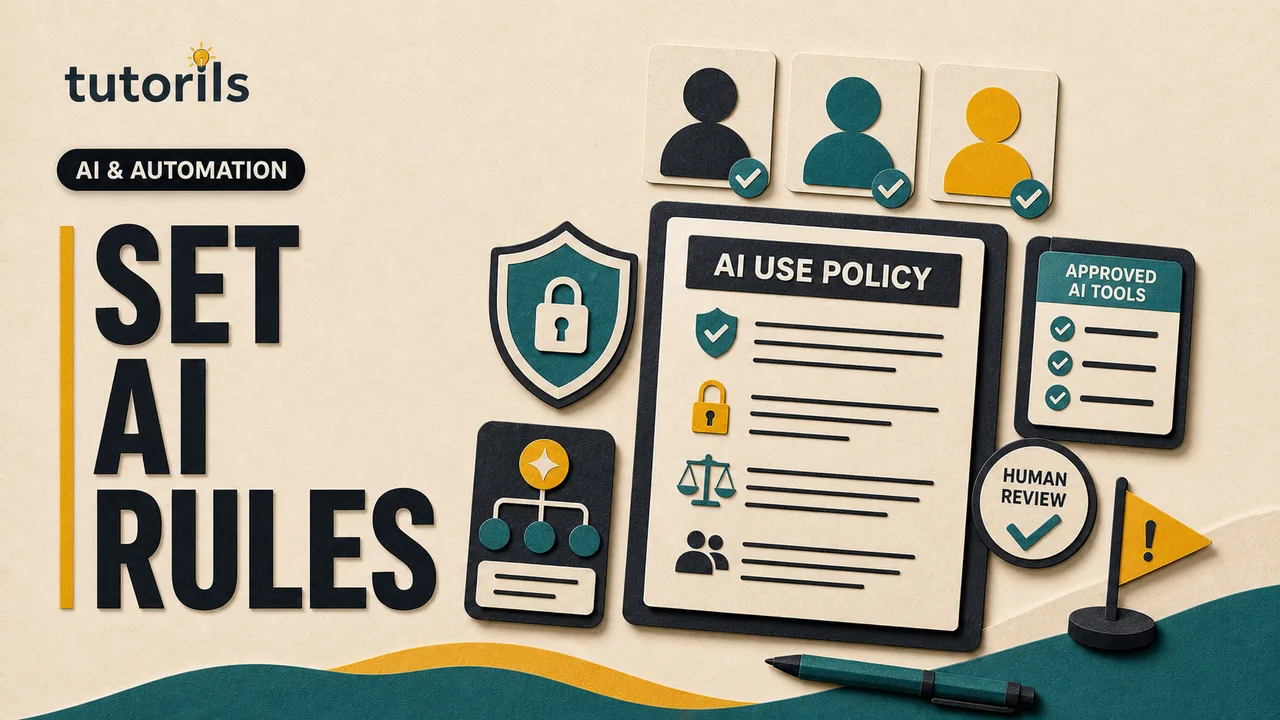
The policy's job is to turn broad concerns into clear decisions. It should help a team member know whether a task is allowed, which account to use, what data must stay out, when a person must review the output, and how to report a mistake. It should also give the business a record of why a tool was approved and who owns the decision.
This guide provides a practical structure for a small organization. It is general operational guidance, not a substitute for legal, employment, privacy, security, or sector-specific advice. Requirements vary by country, industry, customer contract, and the kind of decision the AI affects.
Name one owner before writing rules
Choose a policy owner with enough authority to approve tools, pause a risky use, and ask for specialist advice. In a very small business, this may be the founder or operations lead. The owner does not need to be an AI engineer, but must be able to coordinate security, privacy, legal, and subject experts when the use requires them.
Then name the people who perform three distinct roles:
- tool approver, who checks the service and its terms
- task owner, who is accountable for the business outcome
- output reviewer, who verifies the AI-assisted work before use
One person may hold more than one role, but the policy should not allow accountability to disappear into “the AI did it.” The NIST AI Risk Management Framework Core calls for documented roles, leadership responsibility, training, ongoing monitoring, and processes for third-party AI risk. NIST describes its framework as voluntary and adaptable, not a one-size-fits-all compliance checklist.
Record a policy version, approval date, owner, and next review date at the top. Provide one address or internal channel for questions and incidents.
Define the scope in plain language
List what the policy covers. Include public chatbots, AI features inside existing software, meeting assistants, writing tools, image generators, coding assistants, browser agents, and automated workflows. A feature should not fall outside the policy merely because it arrived inside a product the team already uses.
State who must follow it: employees, contractors, interns, volunteers, and vendors who access team information. Apply it to company devices and accounts, and explain how it applies when someone uses a personal device for approved work.
Avoid a definition so broad that normal spell-checking becomes impossible to manage. You can distinguish between low-risk assistive features and generative or agentic tools that create content, analyze data, make recommendations, or act in another system.
The Tutorils guide to AI agents and assistants helps teams distinguish a tool that suggests an answer from one that can perform a sequence of actions. That difference should affect permissions and review.
Build an approved-tool register
Do not ask team members to interpret every vendor privacy policy alone. Maintain a simple register with the approved tool, approved account type, permitted uses, data limits, owner, review date, and current status.
Before approving a service, review:
- what inputs, outputs, and usage data it collects
- whether customer content may be used to train or improve models
- retention and deletion controls
- access controls, multifactor authentication, and account recovery
- where data is processed and which subprocessors are involved
- incident notification and support routes
- export options and how the team can leave the service
- contract terms, intellectual property terms, and service limits
- administrative logs and controls available on the chosen plan
Do not assume a free, personal, business, or enterprise account has the same protections. Save the terms or policy version reviewed, the date, and the decision. The FTC's January 9, 2024 article AI Companies: Uphold Your Privacy and Confidentiality Commitments explains why companies must honor promises about using and protecting customer data. Your team still needs to verify what a particular vendor actually promises.
Mark unreviewed tools as not approved for work data. Provide a request path so people do not quietly adopt a service because approval seems impossible.
Classify information before discussing prompts
A usable policy needs a short data rule. Create categories that match the team's real work rather than copying a complex corporate model. For example:
- Public: information already approved for anyone to see.
- Internal: routine nonpublic information with limited harm if exposed.
- Confidential: customer material, contracts, strategy, private communications, unpublished work, credentials, or personal data.
- Restricted: highly sensitive records, regulated information, secrets, security keys, payment data, health data, or information whose disclosure could cause serious harm.
For each category, state whether it may be used with an approved AI tool and under which account and settings. A sensible default is that restricted information is prohibited unless a documented specialist review and contract explicitly allow the exact use. Confidential data may also be prohibited from general-purpose services.
Tell people that removing a person's name may not make a document anonymous. Context, dates, roles, or unusual details can still identify someone. When possible, use synthetic examples or the smallest excerpt needed. The NIST Privacy Framework is a voluntary resource for identifying and managing privacy risk created by data processing. Its risk-based approach is more useful than assuming a single privacy switch makes every upload safe.
Separate allowed, conditional, and prohibited uses
Write examples drawn from daily work. An allowed list may include brainstorming from public information, reformatting an approved internal note, drafting an outline, or explaining a non-sensitive formula. These outputs still require review, but their likely harm is limited.
Conditional uses might include summarizing customer material, analyzing internal data, generating code, drafting external communications, taking meeting notes, or creating a recommendation. State the required tool, data handling, reviewer, and approval.
A prohibited list should be short and firm. It may include:
- entering passwords, access tokens, private keys, or authentication codes
- uploading restricted data to an unapproved service
- impersonating a person or creating deceptive evidence
- making final employment, credit, legal, medical, safety, or other consequential decisions without qualified human control
- bypassing security, licensing, consent, or access restrictions
- presenting generated material as verified when it has not been checked
- allowing an agent to send, buy, delete, publish, or change access without the required approval
Do not rely on “use common sense.” People need examples that fit their tasks.
Set review requirements by consequence
Not every AI-assisted sentence needs the same review. Define levels based on what happens if the output is wrong.
For low-risk internal drafts, the author may check accuracy and tone. For customer-facing or published work, require a named person to verify claims, sources, rights, confidentiality, and fit. For high-impact or regulated work, require a qualified reviewer and keep AI from making the final decision.
Every reviewer should ask:
- Is each factual claim supported by a current, authoritative source?
- Did the output omit a condition, exception, or warning?
- Does it expose confidential or personal information?
- Could it unfairly disadvantage a person or group?
- Are quotations, citations, and calculations correct?
- Does a person understand and accept responsibility for the final action?
The Tutorils AI answer verification guide offers a repeatable check for individual outputs. For an automated workflow, use a test set and release gate rather than expecting an employee to catch every repeated error after launch.
Require disclosure where it matters
The policy should explain when the team tells a client, audience, employee, or partner that AI was used. A universal label on every spell-checked sentence may add little value, while hiding an AI-generated customer response, synthetic testimonial, altered image, or automated decision can be misleading.
Require disclosure when it is promised by a contract, required by law or platform rules, material to a person's decision, or necessary to avoid deception. Define who approves the wording. Keep a record of substantial AI involvement in important work even when a public disclosure is not required.
Do not claim an AI system can do more than evidence supports. The FTC's Keep your AI claims in check advises businesses to have evidence for performance claims and consider foreseeable risks. That principle applies both to a vendor selling AI and to a small team describing its own AI-assisted service.
Cover copyright, attribution, and ownership
Tell team members not to ask a system to imitate a living creator, reproduce protected material, or remove attribution. Require people to verify quotations and sources. Generated citations can be invented, and familiar-looking text may still create rights or plagiarism concerns.
For externally published text, images, audio, video, or code, record the source materials, tool, prompt purpose, human edits, licence information, and reviewer where appropriate. Use assets the team created, licensed, or has permission to use. An AI tool's availability does not prove that every output is safe to publish or that a particular jurisdiction will recognize the desired ownership.
If the team handles client-owned material, check the agreement before using it with any AI service. Approval from a manager cannot override a customer contract.
Control agents and connected tools separately
A chatbot that returns text creates one kind of risk. An agent connected to email, cloud storage, finance, code, or publishing can turn a faulty instruction into an external action. Require a separate approval for every connector and permission.
Use a company account, least privilege, and a test environment. Keep sending, purchasing, deleting, publishing, account changes, and permission changes behind a human confirmation. Do not give an agent a shared administrator credential. Review the Tutorils AI automation safety checklist before enabling action permissions.
Browser agents need the same separate approval because a visited page can contain untrusted instructions and the agent may hold an active session. The Tutorils browser-agent guide explains why browsing, account access, and external action should not be treated as one low-risk permission.
CISA's November 26, 2023 Guidelines for Secure AI System Development emphasizes secure design, accountability, and security across design, development, deployment, and operation. A small team buying an AI service may not control the model, but it does control accounts, data, connectors, approvals, and response plans.
Decide what to log and retain
Keep enough information to investigate an error without creating an unnecessary archive of sensitive prompts. The policy should state which uses are logged, who can view the records, how long they are kept, and how deletion works.
Useful records can include the task, tool and account, source version, reviewer, final decision, external action, and incident reference. Avoid copying full confidential inputs into a second log unless there is a justified and protected need.
Document model or feature changes that can affect approved uses. A vendor may alter retention, training, connectors, or account controls. Re-review a tool after a material terms change, security incident, new integration, or expansion into a higher-risk task.
Create a simple incident route
People should know what to do if they enter prohibited data, receive a harmful output, send an incorrect message, expose credentials, or notice an unexpected agent action.
The immediate instruction should be simple: stop the workflow, preserve relevant evidence, tell the named owner, and do not conceal the mistake. The response may include revoking access, rotating credentials, contacting the vendor, correcting an external message, preserving contractual notices, and seeking qualified advice.
Do not promise punishment-free reporting and then penalize the first honest report. A healthy policy makes early reporting easier because fast action can reduce harm.
Train with real examples
A policy sent by email is easy to ignore. Run a short session using examples from the team's work. Ask people to classify the data, choose an approved tool, identify the reviewer, and decide whether disclosure is needed. Include one missing-information case where the correct action is to stop and ask.
Give staff a one-page decision path:
- Is this tool approved for this task?
- Is this data allowed in that account?
- Is the action permitted?
- Who must review the output?
- What record or disclosure is required?
- Where do I report a problem?
Include contractors and temporary staff. Repeat training when the policy or tool register changes.
Review the policy as work changes
Set a regular review, but do not wait for the calendar when a new tool, connector, customer requirement, law, or incident changes the risk. Ask team members which rule is unclear and which unapproved tool they are tempted to use. That feedback may reveal a legitimate need the approved register does not meet.
Track a few operational signals without turning them into performance theatre: tool requests, approved uses, incidents, unresolved questions, overdue reviews, and high-risk workflows awaiting assessment. The purpose is to find gaps, not to claim that a low incident count proves safety.
A good small-team AI use policy makes responsible work easier. It names an owner, limits data and permissions, defines human review, and creates a clear stop route. Keep it short enough to read, specific enough to follow, and flexible enough to revise when the technology or the team's work changes.
Reader answers
Frequently asked questions
Open a question to read the answer. Opening another answer closes the previous one.
What is an AI use policy?
It is a team rulebook for approved AI tools, permitted tasks, data limits, human review, disclosure, connected actions, records, and incident reporting.
Does a small business need an AI policy?
A policy is useful when staff use AI with business information or outputs. It creates consistent decisions and accountability, but it does not replace applicable legal or contractual advice.
Who should own the AI policy?
Name one accountable owner with authority to approve tools, pause risky uses, coordinate specialist advice, and keep the policy and tool register current.
What data should never go into a public AI tool?
Do not enter passwords, access tokens, private keys, restricted records, or confidential information that the approved account and contract do not explicitly permit.
Can employees use free AI accounts for work?
Only if the tool, account type, task, and data are approved. Free and business plans can have different retention, training, security, and administrative controls.
What AI uses should require human approval?
Require review for external communications, important code, customer data, recommendations, and any task affecting health, law, employment, credit, safety, privacy, or substantial finances.
Should AI-generated work always be disclosed?
Disclose when law, contract, platform rules, or honesty require it, or when AI involvement could materially affect a person's decision. Define the wording and approver.
How often should an AI policy be updated?
Review it regularly and after a new tool, connector, terms change, security incident, customer requirement, law, or expansion into a higher-risk task.
What should an employee do after entering prohibited data?
Stop the workflow, preserve relevant evidence, tell the named incident owner promptly, and follow instructions for access revocation, vendor contact, notification, or specialist advice.
Can an AI agent send email automatically under the policy?
Only if that exact action and connector are approved. Use least privilege, testing, logs, and human confirmation for sensitive, external, destructive, financial, or permission-changing actions.